
Your Google Ads cost per click is determined at auction. Winning a prominent position in search requires attention to both your bids and the quality of your advertising. For the underlying mechanics, read how the Google Ads auction works.
The purpose of search advertising is to bring potential customers to your website. Yet two advertisers can pay different amounts for clicks in the top position. As a hypothetical example, one might pay $20 and another $30. These are illustrative amounts, not market benchmarks. The same position does not come with a fixed price.
1. Competition
When more advertisers compete for the same search, click costs can rise. You cannot control their bids, but you can choose which searches to compete for. Less competitive keywords may bring cheaper clicks, although they can also bring less traffic.
Your actual cost is not determined solely by the bid of the advertiser below you. Your ad also has to clear Ad Rank thresholds, so a lack of strong competitors does not automatically make a click cheap.
2. Location
Competition varies by location. A click in London could cost more than one in a smaller city if more advertisers compete for that search there. If your business serves the whole country, separate campaigns for major cities and other regions let you manage their budgets independently. Splitting campaigns alone does not guarantee savings.
How I investigate click costs at auction
I do not explain a click cost through one competitor’s bid. I look at the actual charge, Ad Rank thresholds, search context and the expected impact of ad assets. The same maximum bid can result in different charges across auctions. When clicks become more expensive, I first check whether the conditions for a prominent format or position have changed. Only then do I adjust the bid.
Google explains the calculation in its actual cost per click documentation.
3. Time of day
Some advertisers pause their ads during hours when they receive no orders. That can reduce competition and make clicks cheaper. However, a particular time of day is not automatically cheaper for every campaign.
I recommend restricting your ad schedule when there is a specific reason:
- Visitors cannot submit an enquiry through your website, and nobody can answer the phone at that time.
- Your campaign analysis shows that overnight clicks do not produce orders.
If neither applies, do not rush to switch off overnight advertising. Judge a schedule that runs around the clock by the results of your own campaign.
4. Ad relevance
Your ad should match what the person is looking for. Include the relevant keyword in a headline or in the ad text where it describes your offer naturally. This helps potential customers see the connection between their search and your service.
5. Click-through rate
Click-through rate, or CTR, shows how often people click after seeing your ad. It helps you understand whether your advertising attracts attention. Expected CTR matters at auction, so an increase in the observed CTR in your reports does not guarantee a matching reduction in click costs.
The logic is straightforward: the value of an ad impression depends partly on how likely it is to produce a click. A useful ad that matches the person’s interests can help you compete. Still, CTR needs to be considered alongside the other auction conditions.
6. Keywords
Keywords help determine which searches can trigger your ads. It is useful to group them by what the person wants:
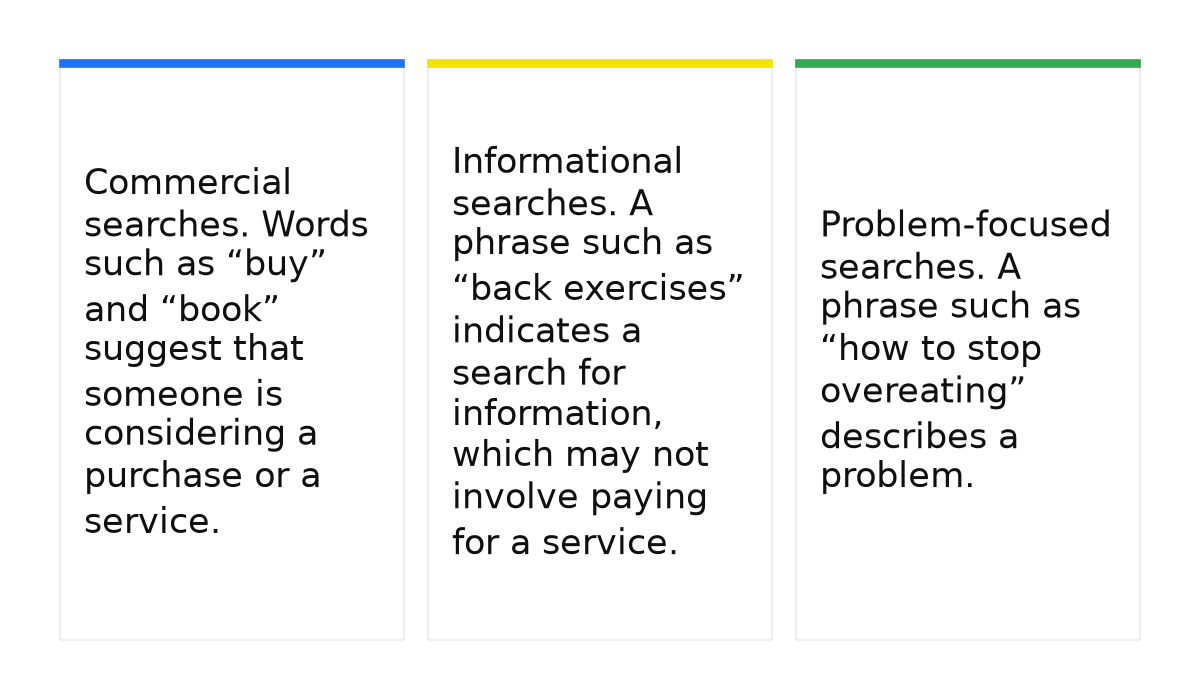
- Commercial searches. Words such as “buy” and “book” suggest that someone is considering a purchase or a service.
- Informational searches. A phrase such as “back exercises” indicates a search for information, which may not involve paying for a service.
- Problem-focused searches. A phrase such as “how to stop overeating” describes a problem. These searches may be worth testing if your offer addresses that problem. Competition can be lower, but you need to check.
Search volume and competition are different things. A popular search with few competing advertisers can cost less per click than an uncommon search with strong competition.
7. Negative keywords
Negative keywords help exclude searches that do not fit your offer. For a paid service, terms such as “free” or “do it yourself” may be irrelevant. Removing unwanted impressions can improve CTR, but adding negative keywords does not guarantee a lower click cost. The priority is to filter out searches that do not match what you sell.
8. Device type
Ads can appear on computers, tablets and phones. Competition for the same keywords can differ by device because some advertisers focus on particular devices. A mobile click may therefore cost less than a desktop click, but that is not a universal rule.
Once you understand which factors affect your campaign, you can decide where to work on reducing click costs. Start with the conditions behind the price before changing the bid.
When this does not apply: this list cannot calculate an exact click price in advance or guarantee a reduction after a single change. If competition, position or search context changes, clicks can become more expensive even after you improve an ad.
To manage click costs deliberately, you need to connect bids, searches and ads in your campaign decisions. Google Ads training can help you move from understanding these factors to applying them in your own account.
My e-book “19 Google Ads Secrets”: how to get the most out of Google Ads without draining your budget, drawn from real campaigns and tests.
See the book →