


A campaign audit is the most reliable way to find and fix the weak spots in a Google Ads account. It’s one of the core parts of ongoing PPC management, not a one-off event. I build every audit around three simple rules:
- Amplify what’s working.
- Cut what’s not.
- Adjust everything in between.
An ads audit should run on a regular schedule, and again the moment something looks off. That’s how you keep improving performance instead of just reacting to problems after the fact.
What to Look at During a Campaign Audit
To judge how efficiently the budget is being spent, track:
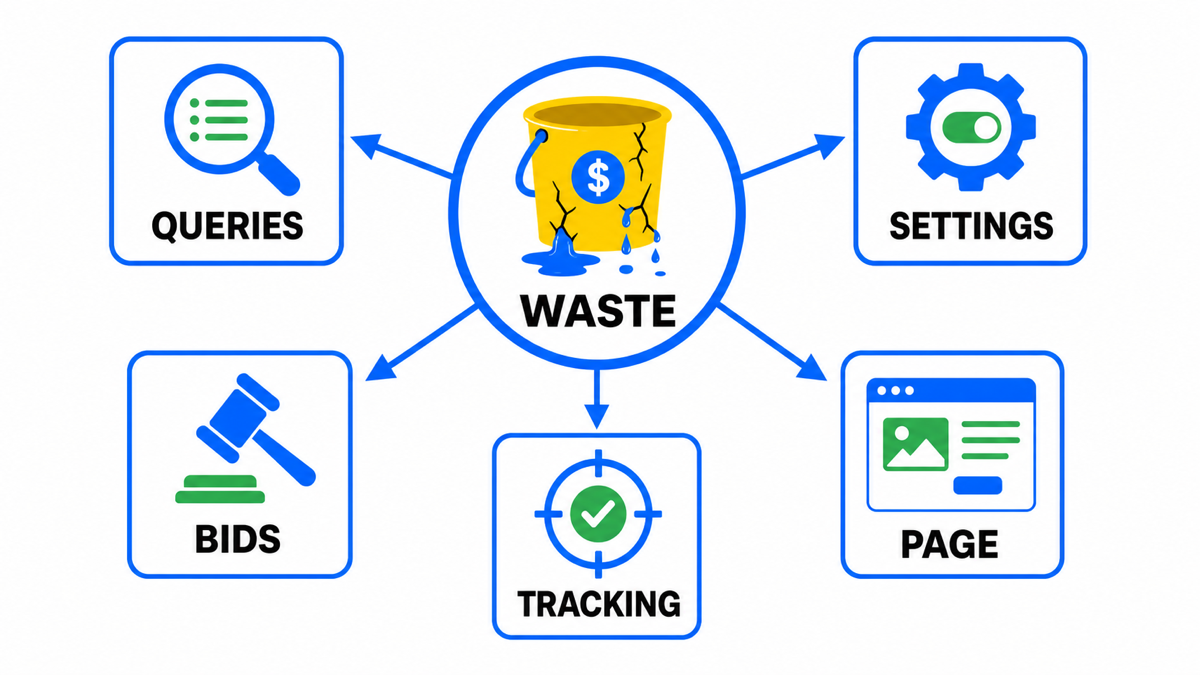
- number of conversions;
- conversion rate;
- cost per conversion;
- profit.
To see how well people are actually engaging with the ads, use CTR.
To see how much of the available audience you’re reaching, use impression share.
What I Check First
I don’t start an audit with the Optimization Score. I start by checking the primary conversion action itself: it has to map to a real business outcome, and it has to fire once per actual conversion, not several times.
What an Account Audit Actually Means
Auditing a Google Ads account means assessing the account structure, meaning which campaigns, ad groups, and ads are actually live. Cross-channel analytics (Google Analytics 4, for instance) helps, but direct access to the Google Ads account itself is better. It’s also essential to confirm that conversion actions are set up and actually tracking.
Campaign Settings
Go through every setting on each campaign, and pay attention to:
Google explicitly states that Ad Strength does not determine whether an ad is eligible to serve. It’s a diagnostic on the quality and completeness of the ad’s elements, nothing more.
- Whether Search Network and Display are properly separated.
- Whether geotargeting is set correctly.
- Language targeting.
- Ad budget: is there a daily cap in place.
- Bid strategy.
- Which conversions are connected as the campaign’s actual goals.
Only move to a Target ROAS strategy once every conversion, and the profit behind it, is being tracked correctly through cross-channel analytics.
Keywords
Keywords are still the backbone of a Google Ads account. That’s why the audit has to trace how keywords turn ad spend into actual customers.
Evaluating and Optimizing Ad Spend
Two numbers drive most of the budget optimization:
- Average cost per conversion.
- Quality Score. If it’s low on certain keywords, raising it can cut the cost per click (CPC) on that keyword several times over.
Market Reach
Reviewing the account also shows how much of the market you’re actually reaching. Watch:
- Search impression share. Usually, a high Quality Score comes with strong reach; a low one narrows it.
- Impression share at the top of the page.
- Impression share at the absolute top.
In practice, ads can perform well and stay profitable even without holding the very top position on the results page.
Search Terms
When you’re going through search terms, it helps enormously to bring in someone from inside the business. A PPC specialist running the audit can’t be expected to know every nuance of every niche.
This review usually surfaces a long list of terms worth filtering out, which becomes your negative keyword list. In practice, this single step during an account audit routinely lifts ad efficiency by 20 to 30%.
Ads
The next step is auditing the ads themselves. In Google Ads, the ad is the bridge between the keyword and the landing page. Auditing your ad copy tells you how people actually react to what you’re showing them.
CTR
CTR is one of the clearest signals here, and it can vary sharply between ads inside the very same campaign. It’s worth comparing the copy on your highest and lowest CTR ads directly. That comparison usually tells you exactly what’s pulling the click.
Click “View details” and you can see how each individual headline and description is performing. That’s how you pull out your strongest headlines and descriptions to push more traffic through them.
Ad Assets (Extensions)
While auditing ads, check whether assets are actually attached everywhere they should be (these used to be called extensions). The most useful tend to be:
- structured snippets
- callouts
- sitelinks
If one asset produces a sharp jump in CTR, that’s a sign it’s genuinely catching your audience’s attention.
Also confirm there are no policy violations and that every ad in the campaign has cleared review. Violations left unresolved can eventually get the whole account suspended.
Audience Segments
The next stage is checking which audience segments actually convert into customers, so you can tighten targeting. Cost per conversion can swing wildly across different groups of people. If one audience is a consistent source of expensive conversions, that’s a real reason to consider turning it off.
Demographics
Check your reporting for how gender, age, and household income affect cost per conversion. Each dimension will show a maximum and a minimum cost per conversion, and that spread is usually the interesting part.
Devices
An account audit should confirm there’s no imbalance across devices. For example, you might find that most of the budget is going toward people viewing ads on desktop or tablet, while the business itself is built around mobile customers. Adjusting settings and bid adjustments by device is usually enough to fix that.
Location
Tracking cost per conversion by city, region, or country shows you where the ads are simply more expensive to run. You can turn off delivery in those spots to protect the budget, and push harder into the regions where conversions come cheap.
Beyond cost, factor in conversion volume too. A region that almost never converts is worth less to the business than one where people are actually ordering and buying, even if its cost per conversion looks fine on paper.
Google Ads Campaign Audit Checklist
- Check conversion goals: only actions that genuinely move the business should feed optimization.
- Split campaigns into three buckets: strong, weak, and borderline. Scale the strong ones carefully, cut the weak ones, dig deeper into the borderline ones.
- Compare cost per conversion, conversion rate, and profit, not just CTR or cost per click.
- Open the search terms report and flag words burning budget without leads, sales, or a clear role in the funnel.
- Review ads and assets against actual data: CTR, conversions, cost per conversion, review status.
- Look at segments: devices, geography, age, gender, income level, and audiences can each carry very different economics inside the same campaign.
- Before every edit, weigh the risk. Sometimes a small saving in one place breaks a working match between keyword, ad, and landing page.
My e-book “19 Google Ads Secrets”: how to get the most out of Google Ads without draining your budget, drawn from real campaigns and tests.
See the book →The Bottom Line on Auditing a Google Ads Campaign
To run a genuinely useful campaign audit, you have to look at the account as one connected system. Every metric needs to be read alongside the others. Even a strong cost per conversion means very little to the business if the volume behind it is too small to matter.
Whether to act on a finding shouldn’t come down to a dashboard recommendation alone. It needs common sense too. Here’s an example: an account audit turns up one or two low-quality keywords. The business is spending $150,000 a day on ads. Fixing that keyword would require changes to the landing page. The projected saving after the fix is $5,000, or 3%. Experience says: don’t touch it. The site is working, and the change risks hurting the numbers on every other keyword tied to that same page.
What’s Next?
Wondering how your account compares with real ones: our own panel of managed accounts publishes wasted spend, Smart Bidding miss ratios and CTR by vertical in Google Ads Benchmarks 2026.
My e-book “19 Google Ads Secrets”: how to get the most out of Google Ads without draining your budget, drawn from real campaigns and tests.
See the book →