
If googleads.g.doubleclick.net shows up in a browser, a security scanner, or hosting logs, it is usually a Google advertising tag doing its job, not a third-party script that someone planted on the site. The domain belongs to Google’s ads and measurement stack.
Google does not publish a standalone help page named after this host. The usable picture comes from three live documents: the advertising cookie-domain list, the CSP guide for tags, and the write-up of what happens when a person withholds consent or tags never fire. That is the picture below, without invented quotations.
If you want the reason this request exists at all, start with the guide to Google Ads conversion setup. The host appears where a site is trying to connect an ad click or ad view to an action on the page.
What this domain is
In Google’s Advertising Privacy and Terms page, doubleclick.net is listed among the domains that can set advertising cookies. The same list includes google.com, googlesyndication.com, and googleadservices.com. The products in that paragraph are AdSense, Google Ads, Google Analytics, and DoubleClick-branded services.
The same page says why advertisers use those cookies: without them it is harder to reach an audience or know how many ads were shown and how many clicks they received. That sentence names the parent domain doubleclick.net, not the full host googleads.g.doubleclick.net. For a site owner, that is already enough to drop the story that an unknown domain equals an attack.
Why it appears on a site
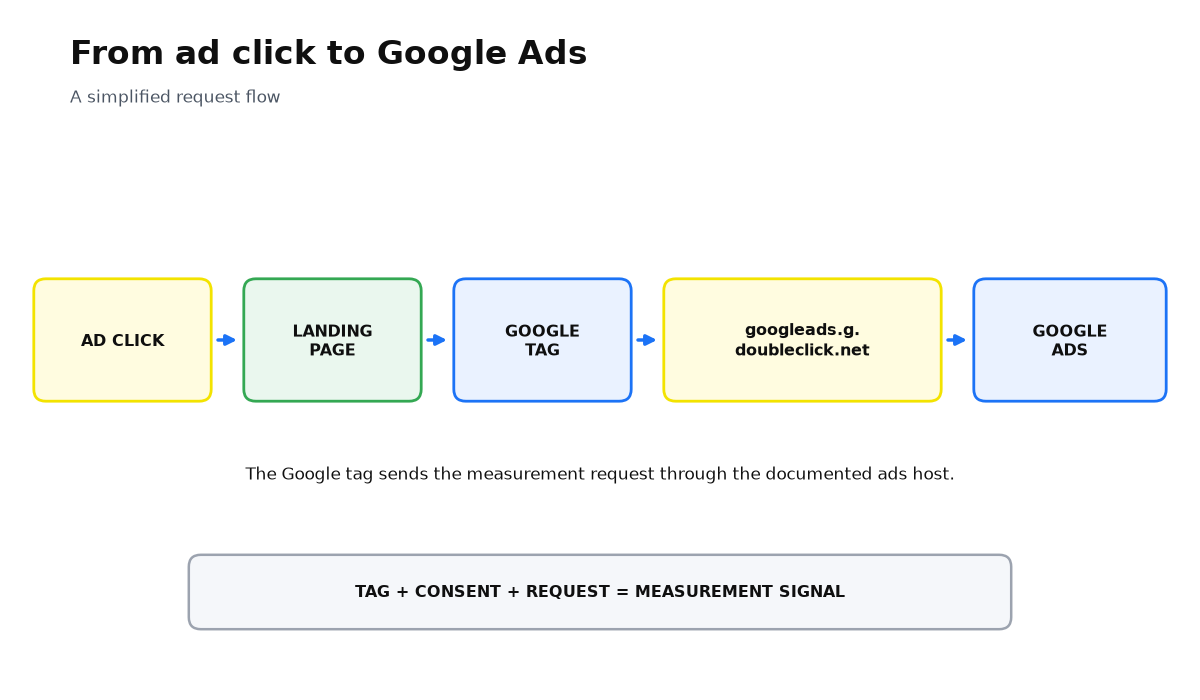
The hostname itself is spelled out in a technical guide, not in a consumer FAQ. In Use Tag Manager with a CSP, Google says a site that uses a Google Ads Conversion, Remarketing, or Conversion Linker tag must allow googleads.g.doubleclick.net in script-src-elem, img-src, and connect-src. Without that host in the policy, those tags are not considered correctly deployed.
A second named trace sits in the image-tag example. The custom-parameters help page uses //googleads.g.doubleclick.net/pagead/viewthroughconversion/ plus a conversion ID as the pixel source. That is a documented view-through / remarketing pixel path, not a random callback.
First-party cookies on your own domain are a separate layer. When a person lands from an ad click, the Google tag reads the click information and sends it to Google Ads. On later pages the tags use new cookies set on your domain. A request to googleads.g.doubleclick.net and first-party cookies on your site are related. They are not the same mechanism.
How to check it on your site
- See whether a Google Ads tag is installed. In Google Tag Manager look for Conversion, Remarketing, or Conversion Linker. Those are the tags named in the CSP guide.
- Open the network requests on a thank-you page or another key action. A path of /pagead/viewthroughconversion/ matches the official image-tag example, not a mystery domain.
- Read the Content-Security-Policy header. If CSP is on, it should allow googleads.g.doubleclick.net for script, images, and connect. Otherwise the tags may fail because of the security policy, not because the site was compromised.
- Match the conversion ID. The number in the pixel URL should belong to your Google Ads account, not to someone else’s.
- Check the consent setup. If a person denies advertising cookies, tag behavior changes. That is not a breach, and it is not a reason to firewall the host by default.
If the tags live in a container, reread what Google Tag Manager is. The host appears because the container delivers an ads tag, not because the browser invented a third-party domain on its own.
What changes when someone withholds consent or tags do not fire
Google does not publish a sentence of the form “block this host and conversions stop counting.” It does describe neighboring cases: denied consent, tags that never fire, and browsers that limit third-party cookies.
| Situation | What the official help center says | What that does not prove |
|---|---|---|
| ad_storage is set to denied | No new advertising cookies may be written, existing first-party advertising cookies may not be read, and requests go through a different domain so previously set third-party cookies are not sent | This is not a manual instruction to cut googleads.g.doubleclick.net in an ad blocker |
| Basic consent mode and a user refusal | Google tags are completely blocked from firing, and no data is transferred to Google at all, not even the consent status | This is about blocked tags after a refusal, not a page about one hostname |
| The browser limits third-party cookies | Without modeling, reported conversions would reflect only the observable share; some browsers, including Safari and Firefox, do not allow conversion measurement with third-party cookies | Modeling fills the unobserved share. That is not the same as “the host is blocked, so the counter is dead” |
What a site owner should do
The calm rule is simple. If you run Google Ads and the site has a conversion or remarketing tag, this domain is expected. Confirm that the tag is yours, that CSP is not silencing it, and that the consent setup matches how you collect permission.
If you are not running ads and the host still fires, look for a leftover or third-party tag in GTM, the theme, or a plugin. Do not diagnose it as a “doubleclick virus.” Google’s public help center does not use that label. There is also no official page that explains why the domain sometimes appears as a referral for a person who does not remember clicking an ad. Community threads are not a source here, so that story should not be finished on Google’s behalf.
You now know what the host is, why it is called, and how to verify it on your own site in a few minutes. The useful next check is not the domain in a log file. It is the path from click to conversion: the tag, consent, and what actually lands in the Google Ads report.
This is traffic from Google ad networks. If you run ads yourself, my e-book “19 Google Ads Secrets” explains how Google’s ad algorithm works and what affects your ad impressions.
See the book →When this does not apply
- You want one official page titled “what is googleads.g.doubleclick.net”. Google does not publish that article. There are only neighboring documents on cookies, CSP, and consent.
- You want a precise answer for blocking this exact host in an ad blocker. There is no official sentence for that scenario. There is documentation for denied consent, blocked tags, and conversion modeling.
- The domain appears as a referrer and the person does not remember an ad click. Google does not publish an explanation of that case. Community threads are not a source.
- Your own Google Ads tags are not on the site, yet the requests still fire. This article does not finish that diagnosis. You need to find a foreign container, a plugin, or leftover code.
- The question is visitor privacy, not site health. The answer lives in the consent banner and consent mode, not in a manual block of one host.
Questions and answers
Is this malware or a data leak?
In Google’s public documents it is an advertising cookie domain and a required host for conversion, remarketing, and Conversion Linker tags. There is no separate page that labels this host as malicious.
Why do I see this domain if I did not click an ad?
Google does not publish an official explanation of that exact case. The documented reasons the host appears are a conversion tag, remarketing, Conversion Linker, and the viewthroughconversion pixel.
Should I block this domain on my own site?
If you measure Google Ads conversions, the host should be allowed in CSP. Cutting it “just in case” breaks the tag deployment Google describes in the CSP guide.
How do I know the request comes from my tags?
Match the GTM container, the tag type, and the ID in the /pagead/viewthroughconversion/ path. The number should belong to your account, not someone else’s.
If a visitor refuses consent, do conversions disappear?
In basic consent mode the tags can be blocked completely, and then even the consent status is not sent to Google. Separately, Google adds modeled conversions for the unobserved share. There is no official sentence about blocking this specific domain.