
An advertising result is not a phone-number click, and not just any action on the website. For a business owner, a result begins when a customer action has verifiable commercial value, such as a qualified inquiry, confirmed booking, order, or payment.
GA4 can record almost any captured signal as an event. An action that matters to the business can be marked as a key event. That technical label does not make a weak signal stronger. If a phone click does not confirm that a conversation took place, marking it in the interface does not turn it into a sale.
This decision belongs inside a broader system of advertising analytics for business owners. The business first decides what a valuable result is. Only then should a specialist configure the technical tracking that records it.
How an event differs from a key event
Think of an event as a recorded fact about behavior. A visitor opened a page, clicked a button, started a form, or completed a desired action. A key event is a signal the business has selected because it deserves special attention in reporting and helps evaluate performance.
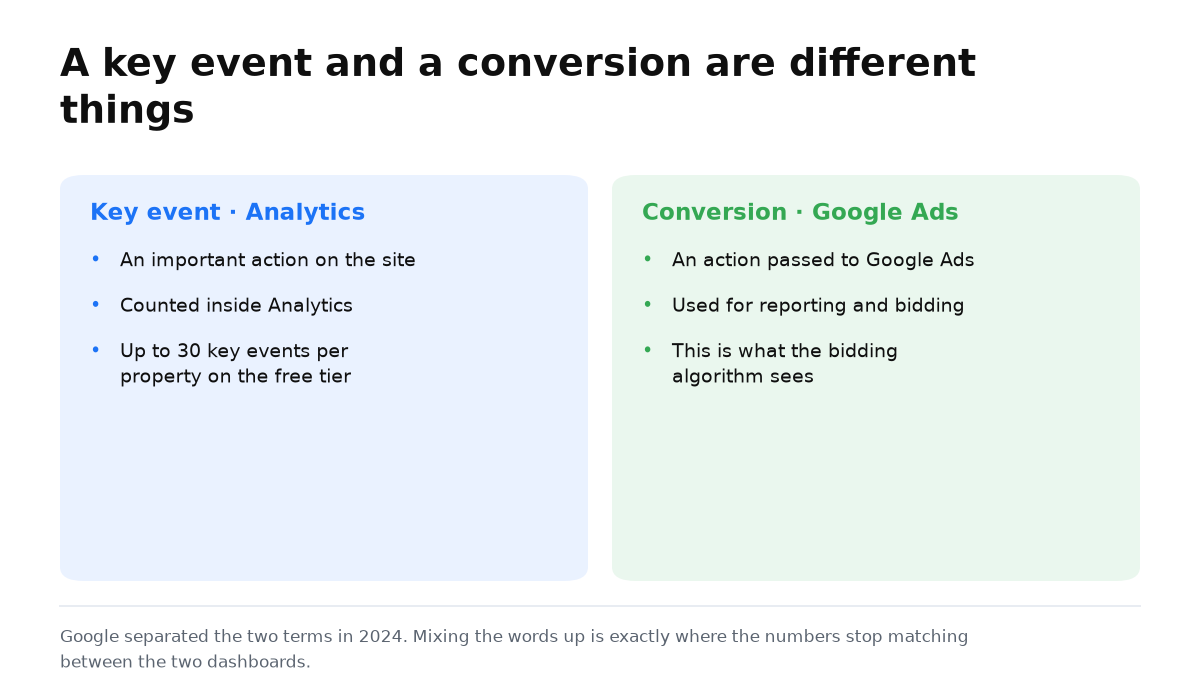
Since 2024, Google has separated the terminology. An important action in Analytics is called a key event. A conversion is an action shared with Google Ads for reporting and bidding. The official Google Analytics guidance explains this distinction. It is one reason the figures in Analytics and an advertising account may describe different sets of actions.
| Level | Example | What it proves | How to use it |
|---|---|---|---|
| Event | Page view or form start | The visitor interacted with the website | Diagnose the journey and its obstacles |
| Key event | Submitted inquiry or confirmed booking | An action selected as important by the business occurred | Compare traffic sources and campaigns |
| Business result | Qualified inquiry or payment | The action has confirmed commercial value | Make budget decisions |
Why a phone click is not yet a result
A click shows an intention to call. The visitor might cancel, dial but fail to connect, or speak with your team without qualifying for the service. If all those clicks become the main success signal, advertising can look effective while the sales team receives no qualified inquiries.
This does not mean you should delete the phone click. Keep it as a diagnostic event. Choose as the key event the action closest to revenue that your business can verify consistently. That might be a submitted form, a confirmed appointment, or a payment, depending on how the business sells.
How a business owner should choose the advertising result
- Name the moment of value. Ask which action lets the sales team verify the quality of an inquiry or confirms that the business has received revenue.
- Separate signals from results. Views, scrolling, contact reveals, and clicks can explain behavior. They do not replace an inquiry, booking, order, or payment.
- Check that the action leaves evidence. A key action should have a matching record in a form, calendar, CRM, ordering system, or payment record.
- Agree on the language with sales. The owner or sales manager is best placed to name the valuable inquiries and true business goals. An analytics report cannot make that commercial judgment for them.
- Keep smaller actions diagnostic. They can reveal an obstacle on the page, but they should not inflate the main advertising result.
Do not fill the property with every imaginable goal. A standard GA4 property supports up to 30 key events, but this is a configuration limit, not a usage target. The official property configuration limits do not require you to turn every event into a key event.
You now have a short, practical agreement for whoever manages tracking: which actions remain diagnostic, which event is key, and which result must be verified against sales records. Technical configuration can now follow the business goal instead of defining it.
Tags and reports matter when they show payback. My e-book “19 Google Ads Secrets” shows how to get the most out of Google Ads without draining your budget, drawn from real campaigns and tests.
See the book →How this relates to Google Tag Manager
GA4 answers which recorded action the business chooses to treat as key. Google Tag Manager can help capture the required moment on the website and send the event. These are different tasks. Once the result list is agreed, move to the procedure for setting up goals in Google Tag Manager.
When this does not apply
- The sale happens away from the website, and the event cannot be connected to a CRM record or payment. The key event then remains an intermediate signal.
- Phone calls are the only sales channel, but the business does not record whether a conversation happened or whether it was qualified. A click cannot answer the performance question.
- Services have different values, but every inquiry is recorded as the same action. The total will hide the composition and quality of the result.
- Events are duplicated or fail to fire. Fix the technical tracking before comparing advertising performance.
Questions and answers
Is every GA4 event an advertising result?
No. An event records an action. For an owner, the result is an action with verifiable business value, while a key event is its analytical designation.
Should a phone click be a key event?
Use it as an intermediate signal if no stronger signal is available. For budget decisions, verify a completed conversation, qualified inquiry, confirmed appointment, order, or payment.
What makes a GA4 session engaged?
A session is engaged when it lasts longer than 10 seconds, includes a key event, or contains at least 2 page or screen views. Meeting any one of these conditions is sufficient.