
“Auction insights” compares your performance with other advertisers who take part in the same auctions as you. The report is available for Search, Shopping, and Performance Max when the period has enough activity. Open Campaigns, Ad groups, or Search keywords in the Campaigns menu, then check the boxes. The Auction insights button appears after that. The auction itself is covered in How the Google Ads Auction Works.
What it means
The report can help you decide on bids and budget, because it shows where you are strong and where you may be missing an opportunity. The help page is Auction insights. Build it for Search by keywords, ad groups, and campaigns. For Shopping, build it by ad groups and campaigns. For Performance Max, build it by campaigns, at account and campaign level, and in Report Editor. You can select keywords from only one page at a time, unless you run the report for “All”.
If one selection mixes Search, Shopping, and Performance Max, choose “Search campaigns” or “Shopping campaigns” in the dropdown. Performance Max impressions on the Search Network are segmented by Search or Shopping. For Performance Max, the report covers Search and Shopping ads served on the Search Network or after November 2021.
A Search campaign has six metrics: impression share, overlap rate, outranking share, position above rate, top of page rate, and absolute top of the page rate. A Shopping campaign has three: impression share, overlap rate, and outranking share. Shopping data runs from October 2014 and comes only from the Search Network. Search partner data is excluded, because partners do not distinguish the top of the page from other positions.
How to read it
Impression share is impressions received divided by the estimated impressions the ad was eligible to receive. Eligibility uses targeting, approval status, and Quality Score. Shopping campaigns do not use Quality Score, but overall quality and offer relevance still affect eligibility. Another advertiser’s impression share here is their share of the auctions in which they were eligible to show.
Overlap rate is how often another advertiser’s ad got an impression when yours did too. Outranking share is how often your ad ranked higher than theirs, or your ad showed when theirs did not. Position above rate is Search only: the other ad was above yours when both showed at the same time. Top of page rate and absolute top of the page rate count the top of the page and the first ad above the organic results, for your row or the competitor’s row. Overlap rate is not outranking share, and it is not position above rate.
A competitor’s number in your report can differ from the number in theirs, because eligible impressions overlap only in part. I do not read that number as market share. The article How to analyze competitors covers the next step, once these shares no longer look like one market. In Shopping, campaign-level impression share and this report can differ slightly. The report likely drops auctions with very few impressions, so it can load sooner. The Product Groups tab shows share only for groups with enough volume.
Even the highest-spending advertiser in one competitive niche had an impression share of 39%. They missed about 6 auctions out of 10 among those where their ad was eligible to show. The window is September 2024 to February 2025. That describes that window, not a norm for every account. Each account’s share is calculated on its own queries, so accounts cannot be compared literally.
What to do
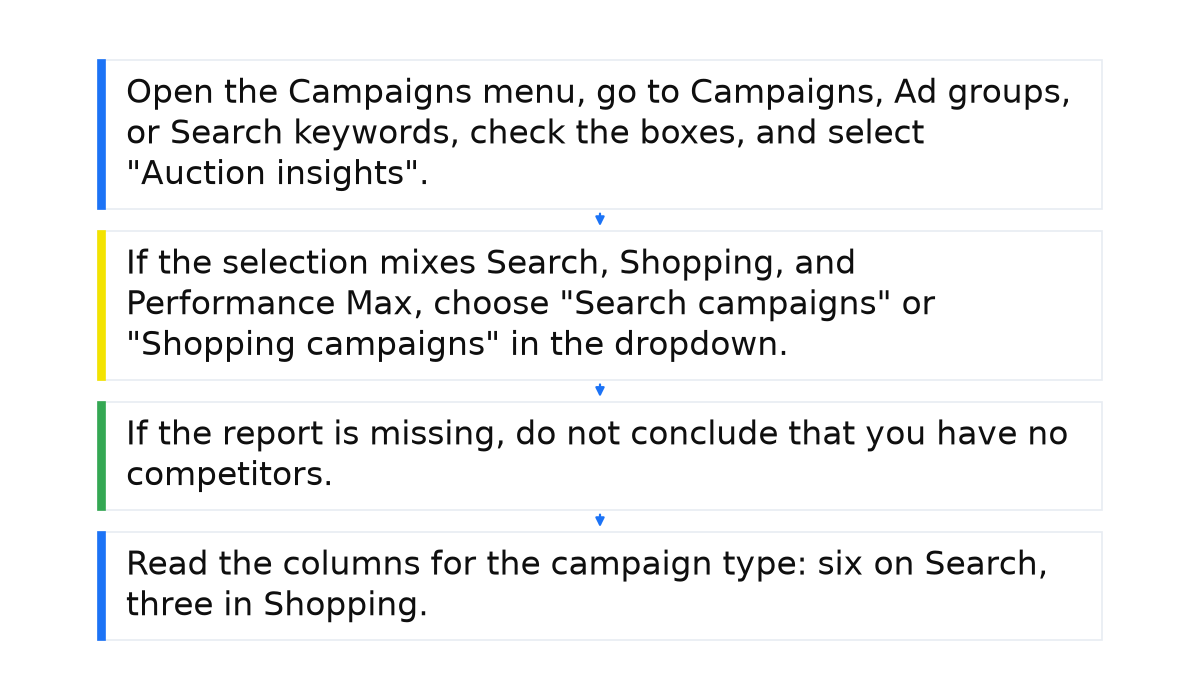
- Open the Campaigns menu, go to Campaigns, Ad groups, or Search keywords, check the boxes, and select “Auction insights”.
- If the selection mixes Search, Shopping, and Performance Max, choose “Search campaigns” or “Shopping campaigns” in the dropdown.
- If the report is missing, do not conclude that you have no competitors. Under 10% impression share, the statistics stay hidden. Also check whether the period has enough activity. Above the table, select the filter icon, enter a condition, and select Apply.
- Read the columns for the campaign type: six on Search, three in Shopping. A bid or budget change does not remove a competitor from the report.
What not to do
- Do not treat 39% as a norm for your account. It is one window in one niche.
- Do not compare your impression share with figures from other accounts: each account has its own set of queries.
- Do not read a google.com row as an ordinary store competitor. It appears with a Google-hosted domain, a Business Profile, or a landing page on a Google site, for example site.google.com or play.google.com.
When this does not apply
The report does not show statistics when impression share is under 10%. An empty table then says nothing about competitors. Search partner data is not in this report.
Shopping’s three metrics do not replace Search’s six. Position above rate, top of page rate, and absolute top of the page rate are Search only. Search lost IS (rank) answers a different question: the percentage of time the ad was not shown on the Search Network because of poor Ad Rank.
I put the system behind these auction columns into a short e-book.
My e-book “19 Google Ads Secrets”: how to get the most out of Google Ads without draining your budget, drawn from real campaigns and tests.
See the book →Questions and answers
Why is a competitor’s share different in my report and in theirs?
In your report it is their share of auctions where they were eligible to show. Their own report differs because those auctions overlap only in part.
Why is the report missing when impressions exist?
Impression share is under 10%, or the period does not have enough activity yet. Select the filter icon above the table, enter a condition, and select Apply. The table then shows keywords or ad groups that have a report.
What does a google.com row mean?
It is not an ordinary store that entered the auction as a regular advertiser. Check a Google-hosted domain, a Business Profile, and the competitor’s landing page.