
Monthly Google Ads management should cover search term reviews, negative keywords, bids and budgets, ad testing, and reporting with recommendations. Your contractor should explain what changed, what stayed the same, and why. Review those decisions in the account alongside the results that matter to your business.
Ad spend pays for clicks; the management fee pays for the contractor’s work. For payment models, see the guide to Google Ads management pricing. Here, the question is what the monthly service actually delivers and how to check it without becoming a PPC specialist.
What should monthly management include?
WMi’s 2026 UK guide lists £500 to £800 monthly for search terms, negatives and reporting, without strategy. WMi’s £800 to £1,500 monthly tier adds active bid strategy management and reporting with explanations; its £1,500 to £3,000 tier provides strategic management with a named senior specialist. These are one agency’s tiers, not universal UK rates or US benchmarks.
My recommendation is to ask for decisions, with reasons. For an ad test, request the hypothesis, the copy being tested and the conclusion. For a proposed budget increase, ask why that campaign deserves more spend. If the agency recommends leaving something alone, ask what evidence supports that choice and what would make it reconsider.
How do you check search terms and account changes?
Open the account with your contractor for the reporting month. Google’s search terms report shows actual searches that triggered ads and helps identify negative keywords and new keyword opportunities. Start by asking whether those searches describe the service you sell. Then ask what the contractor decided to do about them.
In my practice, these five checks take 15 minutes for owners who know how to open the account.
| Monthly action | What should be visible in the account | How many minutes to check |
|---|---|---|
| Review search terms | The monthly search terms report behind the contractor’s decisions | 4 minutes |
| Maintain negative keywords | The negative keyword list, dates of recent additions and where they apply | 3 minutes |
| Check reported edits | Change history for 30 days to compare with the contractor’s report | 3 minutes |
| Review bids and budgets | Target CPA alongside actual cost per conversion, where applicable. | 3 minutes |
| Review recommendations and automation | The recommendations page and the recommendation types selected for automatic application | 2 minutes |
In our 32-account sample, September 2024 through February 2025, the median account held 89.7% of its budget on one bidding strategy; 15 of the 32 allocated at least 90% of spend to one strategy. This analysis does not distinguish which strategy.
In my practice, change history is more useful than a presentation for checking reported edits. The presence of edits alone does not convince me that they helped.
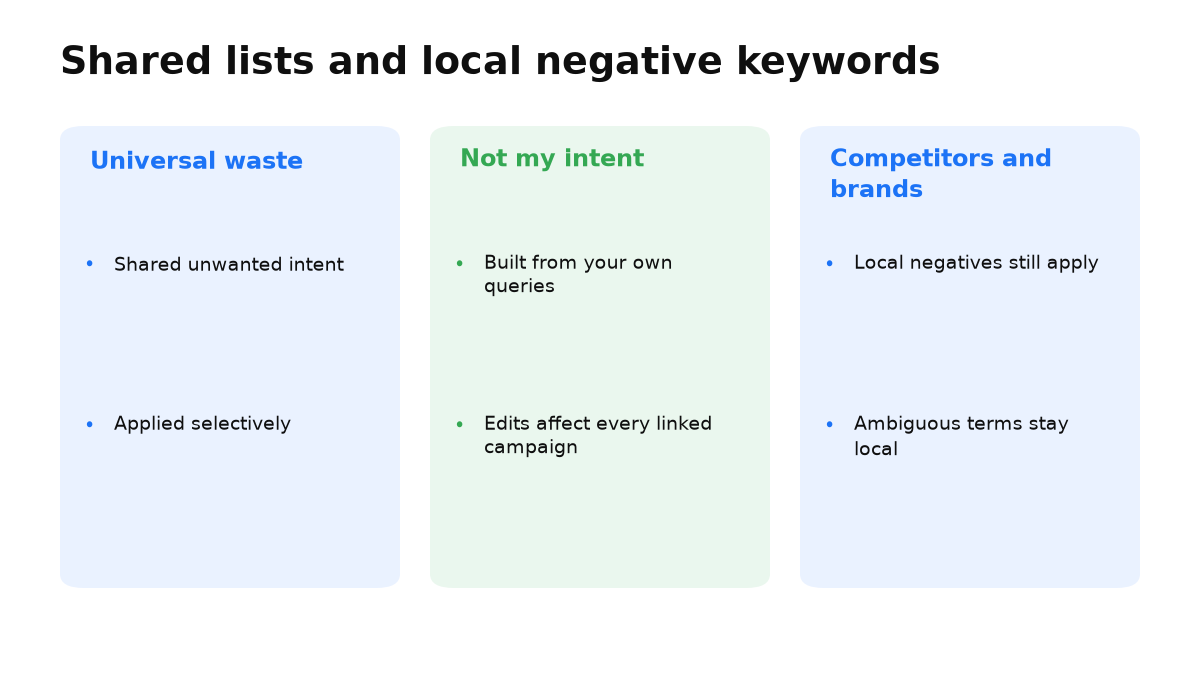
Google allows negative keywords at campaign and ad group level, and in negative keyword lists. Ask where the exclusions were added and why. I would avoid setting a quota for new negatives. Ask which unwanted enquiries the contractor intended to prevent and how those exclusions relate to your offer.
Why aren’t optimization scores and bid targets enough?
Google describes its optimization score as an estimate of how well the account is set to perform. Our research shows its limits: among 22 accounts, September 2024 through February 2025, one scoring 99.1% spent 18.7% on terms without conversions. Another in the same niche scored 48.8% and spent 8.9% on such terms. Across the sample, the score’s association with that spending share was weak (Spearman correlation −0.39); above an 85% score, the share ranged from 1.3% to 31.3%. These different accounts do not show that reducing the score improves performance.
A separate sample for that period covered 1,950 target CPA campaigns across 7 verticals, each spending above $1,000, totalling $42.2 million. Only 34% landed within ±10% of target; 36% exceeded it by more than 20%; median overshoot was +10%. We measured relative deviations between actual and target CPA; conversion events differed. This spend-selected sample cannot predict every new campaign. Compare results with the target and clarify what counts as a conversion.
Also discuss automatically applied recommendations. This setting is optional: advertisers choose recommendation types and can turn it off. Ask why those types were selected. Knowing that automation is enabled does not tell you what judgment your contractor contributed.
What should the report explain, and when should you switch?
In my practice, a report limited to clicks, impressions and CTR, without cost per enquiry or added negative keywords, describes activity rather than results. I ask for the business explanation: what happened to enquiries, what decisions followed, and what will be checked next. The guide to advertising analytics for business owners helps prepare that conversation.
I would consider replacing a contractor who repeatedly avoids explaining decisions, cannot connect recommendations with account data, or fails to deliver agreed work. First, document the gaps and agree what the next report must demonstrate. If those requirements are met, that concern is resolved. If they are not, prepare a handover using the guide to Google Ads and Analytics account ownership.
When this does not apply
This review cannot replace measurement checks: if you do not know what counts as a conversion, a conclusion about cost per enquiry is premature. It also cannot expand the scope of your agreement. If you bought maintenance, agree strategic testing separately. Finally, a lack of new edits alone is not grounds for dismissal. Ask for the reasoning behind leaving settings unchanged.
Questions and answers
Must bids change every month?
I recommend requiring a review and an explanation. Making an edit simply to put it in the report should not be the objective.
Is a negative keyword list enough evidence?
It gives you something concrete to check. Ask to see the searches behind the exclusions and understand the reasoning.
What if I cannot understand the report?
Ask the contractor to connect a conclusion with account data and explain the next decision in plain English.
To check your account against this checklist with us, bring your latest contractor report. We can compare its conclusions with the decisions and results in your account.
My e-book “19 Google Ads Secrets”: how to get the most out of Google Ads without draining your budget, drawn from real campaigns and tests.
See the book →