
A separate Google Ads manager account helps an owner oversee multiple ad accounts or separate access for different contractors. With a single business, however, the more important rule is simpler: the owner controls the advertising account, while the agency receives access to it.
This structure lets the business change providers without surrendering campaigns, history, or settings. Remove the old connection and approve the new one. If nobody can clearly identify the current administrators, start with a Google Ads account audit and inspect access separately.
What a manager account is and where MCC fits
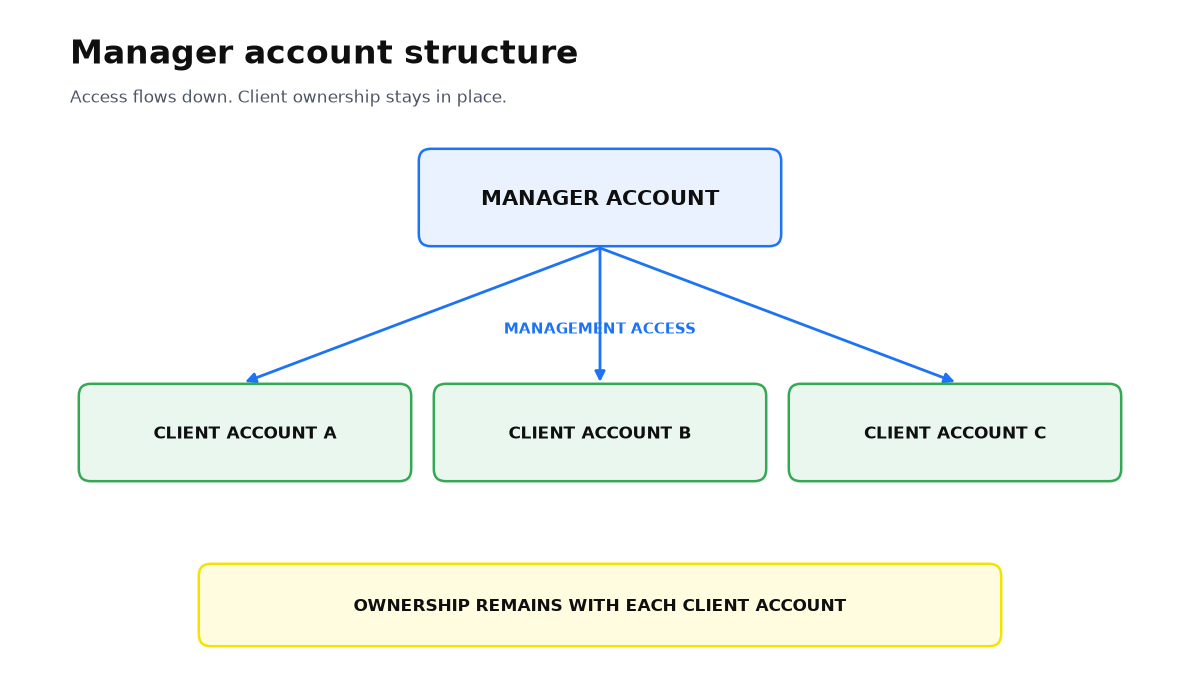
Google’s current help pages call the product a manager account. It is a separate account used to view and manage several advertising accounts. Google explicitly says it is not an upgrade of a regular Google Ads account, but a distinct management layer.
The abbreviation MCC remains in help page headings, but the live page does not present My Client Center as the current official definition. “Manager account” is therefore the accurate product name, while MCC is best treated as a familiar legacy term.
Who should control each layer
| Layer | Who controls it | Purpose |
|---|---|---|
| The business ad account | The owner or an internal administrator | Holds campaigns, history, billing, and conversion settings |
| The contractor’s manager account | The agency or specialist | Provides a workspace for managing client accounts |
| The group’s own manager account | The business owner | Useful for several brands, markets, or advertising accounts |
A normal link does not take control away from the client. Under Google’s manager account ownership rules, linking an existing client account does not automatically grant administrative ownership to the manager. The client account continues to own its data.
How to grant access without handing over the account
- Confirm that the owner has a direct administrative login to the advertising account.
- Check that billing and important conversion settings do not depend only on a contractor’s personal email.
- Give the agency the account’s Customer ID so it can send a request from its manager account.
- Approve the request inside the client account and grant only the access needed for the work.
- Record who inside the company can add users and remove managers.
This setup separates work from control. The contractor can manage advertising, but the owner does not need to ask the agency to “return the account” when the contract ends.
What happens when you change contractors
A client account administrator can remove a manager account’s access. The former manager then loses access, while the business retains campaign history and can link a new provider. Google’s unlinking guidance states this directly.
Before unlinking, inspect shared audiences, cross account conversion tracking, and billing. If any of these depend on the agency’s manager account, migrate or replace them before ending the connection.
When this does not apply
- The business has never had direct administrative access. Creating another manager account does not restore rights automatically.
- Billing, audiences, or conversion tracking belong technically to the agency’s infrastructure. Those dependencies require a separate migration before unlinking.
- The owner has one ad account and one contractor. An additional manager account is optional as long as the owner retains direct administrative access.
The control model is now clear: the business keeps direct access to its advertising account, and the provider works through a management connection. The practical next step is to verify real permissions, billing, and conversion dependencies before an agency change becomes urgent.
My e-book “19 Google Ads Secrets”: how to get the most out of Google Ads without draining your budget, drawn from real campaigns and tests.
See the book →Questions and answers
Is MCC a type of advertising campaign?
No. It is a legacy abbreviation still shown alongside the current name, manager account. This account manages other Google Ads accounts but does not replace a campaign or client account.
Can an agency take the client’s data after linking?
Standard linking does not remove the client account’s ownership of its data. The practical risk appears when the account, billing, or related assets were created solely within the agency’s infrastructure.
What should I check before unlinking the old manager?
Verify the owner’s direct administrative access, billing method, shared audiences, and conversion source. Move dependent settings first, then remove the old manager.