
A company selling pools and heating equipment does not need two disconnected advertising strategies. It needs one system that shifts budget and product emphasis toward the line with current demand while keeping the other line visible and ready.
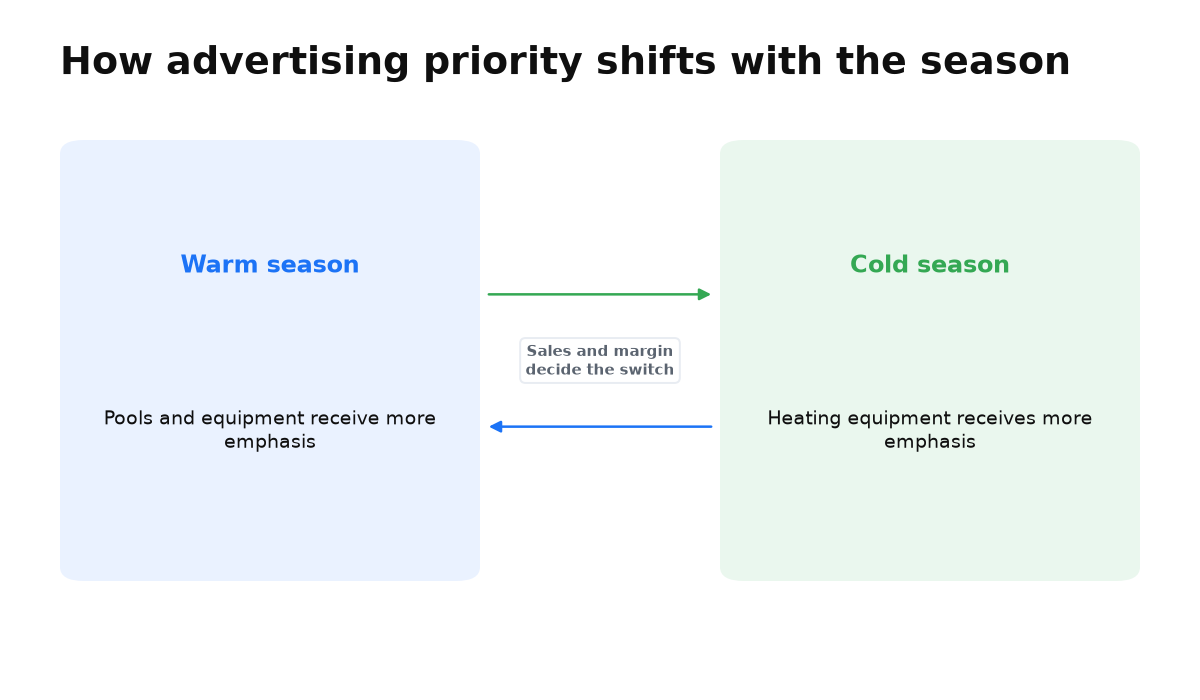
The seasons move in opposite directions: warmer weather supports demand for pools, while colder weather brings attention back to heating. The owner’s job is not to rebuild advertising whenever the weather changes. It is to measure each category separately and change priorities when sales justify the move. The broader framework is covered in this guide to diagnosing clicks without leads.
Vadim’s story: two product lines with opposing seasons
Vadim Polyakov works with pools and heating equipment. His company has used Google Ads since 2016, with employees handling part of the work and contractors handling part. This detail matters. The result did not come from discovering advertising for the first time. It came from improving a system that already had years of operating experience.
Vadim explains that pools become the main focus in spring and summer, while heating equipment takes priority in autumn and winter.
The account must support both lines without treating them identically throughout the year. If they are blended into one opaque total, the owner can see overall spend but cannot tell which category is producing sales or deserves more attention.
The mechanism: shift priority without rebuilding everything
Shopping ads and Performance Max became the main sales channel in Vadim’s case. The practical value of opposing seasons is a controlled transition. Campaigns, products, and outcomes for the two categories need to remain separately visible, so budget can follow observed demand instead of a fixed calendar habit.
| What to control | Pool product line | Heating product line |
|---|---|---|
| Product emphasis | Increase visibility when customers actively choose pools and equipment | Keep measurement and product data ready for returning demand |
| Budget | Increase the share only when sales support the decision | Shift the share when qualified demand appears |
| Ads | Show the product in a setting that makes its use clear | Clarify the equipment’s purpose through its title and visual context |
| Evaluation | Review category revenue and margin, not clicks alone | Apply the same rule without mixing the totals |
This does not mean moving all available money on a particular date. Weather, inventory, logistics, and actual demand can change the transition point. The calendar tells you when to pay closer attention. Sales data tells you whether to act.
Why Merchant images changed the outcome
After training, Vadim worked not only on campaign settings but also on how products appeared in Merchant. The company moved beyond the familiar product on a white background, placed products in interior settings, and refined product names. Shopping performance improved because the images and titles did not look like every competing offer.
Vadim called it an obvious idea that they had not implemented before: «make the image different from everyone else’s… it seems like a very obvious solution, but for some reason we weren’t doing it». For a pool or a piece of heating equipment, context can help a buyer understand scale, purpose, and how the product belongs in a real space. The image must still represent the actual item accurately and comply with Merchant requirements.
What an owner in the same niche should do
- Separate pool and heating results, even if one team manages both lines and they draw from one overall budget.
- Define the sales and margin for each category that you will compare with advertising spend.
- Before demand changes, check inventory, landing pages, titles, and images in Merchant.
- Prepare both product lines in advance, but strengthen only the one where enquiries and sales confirm demand.
- Test real product imagery in a useful setting without disguising product features or replacing authentic material with generated visuals.
The final point was important in Vadim’s experience. His company kept photographs and video authentic because generated video, images, and even voices reduced conversion. He used AI differently, as a structured tool for writing. A personal or company post could then be prepared in 5 to 10 minutes instead of sometimes taking as long as an hour.
When this does not apply
Shifting budget will not repair the account if sales for the two product lines are not separated in analytics or Merchant contains inaccurate product data. It also cannot solve missing inventory, an unclear purchase page, or reporting based only on clicks. Moving budget merely because the month changed is especially risky when live demand has not been checked.
Questions seasonal business owners ask
Should I completely stop the off-season product line?
Not automatically. The decision depends on residual demand and unit economics. Keep results separate so the weaker category cannot consume budget unnoticed.
What should I check before increasing budget?
Check inventory, Merchant data, landing page quality, and category sales. More clicks without sales do not confirm seasonal demand.
Is changing the image enough?
No. Vadim’s case combined Shopping ads, Performance Max, product names, and distinctive images. One image cannot compensate for a weak offer, inaccurate data, or missing sales measurement.
If you want to build this system for your own catalogue, training can help you connect seasonal budget decisions, campaigns, and Merchant data into one manageable process.