

When advertising gets expensive, lowering your bids feels like an obvious fix. But your business still needs customers, and cheaper traffic only helps if it brings worthwhile orders. Google Ads gives you a direct way to lower manual bids and three areas to improve before you start cutting traffic.
The direct way to control your bid
Check the average cost per click in your Google Ads keyword reporting. This tells you what you actually pay for visits. Your maximum CPC bid is the amount you are willing to bid for a click.
If your campaign uses Manual CPC, you can reduce that maximum bid. The tradeoff is that your ad may appear less prominently and receive fewer impressions. Set it too low and traffic can stop altogether. After a change, compare the number and cost of leads alongside the new CPC.
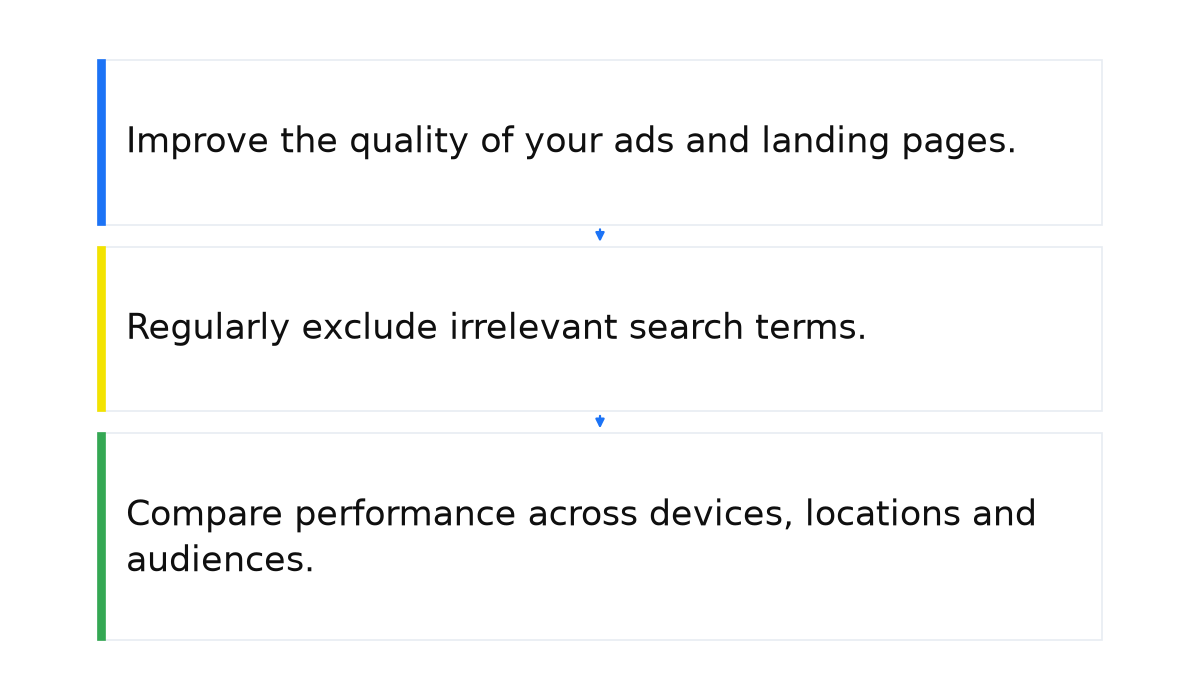
3 areas to review before lowering bids
Before reducing bids, check what you are paying for. Irrelevant searches, weak ads and an unhelpful landing page can consume money that should be bringing in customers.
How I approach lowering CPC
I start with actual search terms and wasted spend. Then I review Ad Rank, ad relevance, the landing page and the economics of a conversion. A lower CPC is useful when it preserves the volume and quality of the results.
Google’s explanation of the ad auction includes your bid, ad and landing page quality, the expected impact of assets and the context of the search. That gives you three practical areas to review:
- Improve the quality of your ads and landing pages.
- Regularly exclude irrelevant search terms.
- Compare performance across devices, locations and audiences.
Method 1. Use Quality Score to find weaknesses
Quality Score uses a scale from 1 to 10. It helps you find weaknesses in your ads and landing pages. As Google explains, the score is a diagnostic tool and is not itself an input in the auction. You cannot turn a particular score into a fixed discount on clicks.
Review expected clickthrough rate, ad relevance and landing page experience. CTR tells you how often people click after seeing an ad. Your ad should match what the person wants, and the page they reach should deliver on its promise.
For the ad itself, check the following:
- Keywords in headlines and descriptions. Reflect the customer’s search in clear, natural language.
- Ad assets. Use additional information and links to make the offer easier to understand.
- Current prices and promotions. Keep the ad consistent with what customers will find on your website.
- An accurate product feed. If you run Shopping ads, keep the product information up to date.
Consider longer, more specific keyword phrases. They can express a clearer buying intention and face less competition. Judge them by conversions: the length of a search does not make it profitable on its own.
Competition also affects the price you start from. Use the advertising budget formula to connect expected click costs with your own campaign figures.
Next, review the website. Visitors should be able to find the information they need and understand how to place an order. Check:
- The quality and usefulness of the page content.
- How closely subheadings, body copy and image captions match the subject of the search.
- Ease of navigation.
- Page loading speed.
- Usability on a phone.
The purpose is to make your ad and website more useful to the buyer. Strengthen that connection when traffic costs more than your business can comfortably support.
Method 2. Clean up your search terms
A search term is what someone types into Google. A keyword is what you add to your advertising campaign. Review the actual searches that trigger your ads.
- Check the search terms that generated impressions and clicks.
- Identify searches that do not fit your products or services.
- Add suitable negative keywords.
This reduces exposure to people who are unlikely to become customers. Negative keywords primarily remove wasted spend. They can improve your cost per lead even when the average price of a click does not fall.
Method 3. Review devices, locations and audiences
The same keyword can produce different click costs across segments. Look at the results behind those differences.
- Devices. Compare phones and computers by CPC, conversion rate and cost per lead. If mobile clicks cost more, check whether the orders justify that price. Any bid changes need to fit the bidding strategy you use.
- Locations. Review the areas consuming your budget. For a local business, excluding places you do not serve is especially useful. An expensive area that brings profitable customers calls for a different decision.
- Audiences. Compare available performance data by age, gender, parental status and household income. A high CPC alone is not a reason to exclude a group. Compare its spend with its conversions.
What a lower cost per click means for your business
CPC is useful, but it cannot tell you whether your advertising is profitable without other figures. Compare these two worked examples:
- A click costs $1 and one visitor in 100 buys. At a 1% conversion rate, the advertising cost of a purchase is 100 × $1 = $100.
- A click costs $10 and one visitor in five buys. At a 20% conversion rate, the advertising cost of a purchase is 5 × $10 = $50.
In the second example, the more expensive click produces a cheaper purchase. Add average order value and margin to understand how much your business can pay to acquire a customer. Assess changes to bids, searches and landing pages against that final result.
Common questions about lowering CPC
Can I simply lower my bid? Yes, with Manual CPC. But impressions and traffic may fall, so monitor the number and cost of leads as well.
What has the biggest effect on click costs? Competition, expected CTR, ad relevance, landing page quality and the context of the search all matter. One factor rarely explains the full price.
Should I exclude expensive devices? First compare conversion rates and cost per lead. More expensive mobile traffic can still be worthwhile when it produces customers.
Do negative keywords lower CPC? They remove irrelevant visits and wasted spend. Your cost per result can improve without every click becoming cheaper.
When is a low CPC harmful? When cheap visits fail to produce leads. A specific commercial search can be more valuable even when the click costs more.
When this does not apply
- Lowering your maximum bid cuts sales along with impressions.
- You judge cheap clicks without checking conversion rate, margin and profit.
- You focus on Quality Score while leaving an irrelevant offer or a poorly converting website unchanged.
To turn these checks into a repeatable process, connect bids, search terms and conversions with the economics of your business. My e-book below explains how to get the most out of Google Ads without draining your budget.
My e-book “19 Google Ads Secrets”: how to get the most out of Google Ads without draining your budget, drawn from real campaigns and tests.
See the book →