
“Suspicious payment activity” in the suspension email and in the account alert means Google saw something strange or wrong with a payment and may suspend the account or limit how much it can spend. It is not a status on a single ad.
Other reasons Google closes an account are covered in why Google suspends a Google Ads account.
What it means
Suspicious payment activity is not allowed under Google Ads billing and payment policies. In the email and in the account the line reads “Suspicious payment activity”.
In my own work, I often see this alert in accounts paid for with a relative’s card or a card issued in a different country from the one listed in the payments profile. In those cases, check whether the billing details make it clear who owns the card. You still need a payment method you own or have permission to use, and the appeal is where you name the owner.
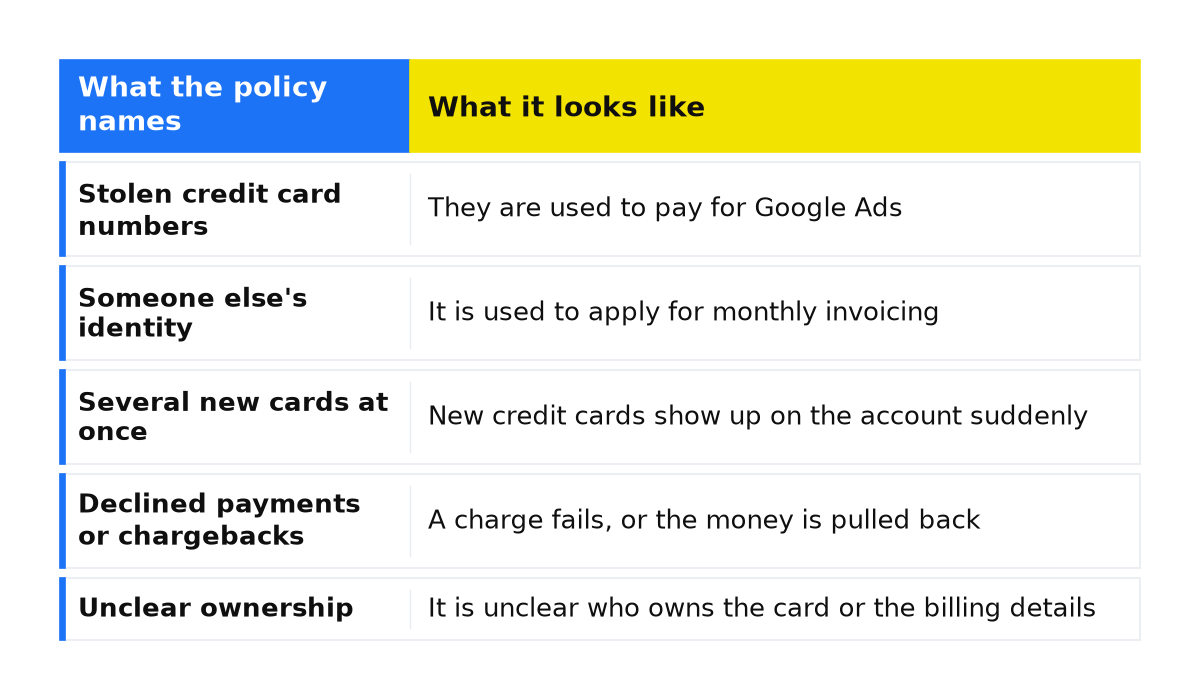
Google gives two reasons for the ban. The payment may be fraud: the rule protects you and your customers from scams and unauthorized charges. The same payment can point to other violations, such as fake accounts or misleading ads. The examples in the policy are not a full list.
| What the policy names | What it looks like |
|---|---|
| Stolen credit card numbers | They are used to pay for Google Ads |
| Someone else’s identity | It is used to apply for monthly invoicing |
| Several new cards at once | New credit cards show up on the account suddenly |
| Declined payments or chargebacks | A charge fails, or the money is pulled back |
| Unclear ownership | It is unclear who owns the card or the billing details |
The full text is on the Google policy page for suspicious payment activity.
What is at stake
A suspended account can still be opened: reports, payment methods, and the appeal stay available, but ads do not run. The other outcome is a limit on how much the account can spend. The policy names no warning period before either one.
What to do with a suspended account in general is in what to do if your Google Ads account is suspended. Other billing-related reasons for suspension are listed on the Google page for billing and payment suspensions.
What to do
- Check both the reason and the account state in the email and the account alert. The steps below cover preparing an appeal against a suspension for “Suspicious payment activity”. If the account is temporarily paused and payment verification is requested, an admin should complete the task in the alert. An unpaid balance or another reason needs a separate review.
- Keep a payment method you own or have permission to use. If the card belongs to a relative, or the card was issued in a different country from the one listed in the payments profile, write down who owns it and why you may charge it.
- If Google asks, complete advertiser verification and payment verification. Before the appeal is reviewed, you may have 30 days to verify the payment method. Verification updates come from Google Payments at payments-noreply@google.com. General appeal mail comes from Google Ads. Once your identity or the payment method is verified, the appeal goes to review.
- In the appeal, say who owns the payment method on the account, and explain any declined payments or chargebacks. Follow the policy’s best practices before submitting the appeal if you have not already.
What not to do
- Do not open a new account instead of appealing. That circumvents the system. Google also suspends accounts that share the email, the payment method, or the manager account, and new accounts you create later.
- Do not add several new cards in a row to get past the check. Suddenly using several new credit cards is itself an example in the policy.
- Do not ask your bank to reverse a legitimate Google Ads charge. Requesting that chargeback is a separate reason an account can be suspended.
- Do not file the appeal without naming the owner of the payment method. Do not ignore mail from payments-noreply@google.com once verification is open.
When this does not apply
This page is about “Suspicious payment activity”. An unpaid balance, a concern that future payments will fail, and promotional code abuse are different billing reasons. The page does not settle a bank contract. It covers what Google treats as suspicious and what belongs in the appeal.
If the account is temporarily paused and the alert asks you to confirm the payment method or make a payment, follow that task. The reason alone does not determine the next step. Google describes this pause separately from a suspension, and only an admin can complete the task to restore the account.
If the suspension for “Suspicious payment activity” is still in place after these steps, we will review the account together: the email, the payment method, and the appeal you already sent.
My e-book “19 Google Ads Secrets”: how to get the most out of Google Ads without draining your budget, drawn from real campaigns and tests.
See the book →Questions and answers
Is this always a stolen card?
No. A stolen card is one example, alongside using someone else’s identity to apply for monthly invoicing, several new cards, declined payments, chargebacks, and unclear ownership. If you use a relative’s card or a card issued in a different country from the one listed in the payments profile, check that ownership is clear and you have permission to use it.
Is there a warning before the suspension?
This policy does not name a warning period. The account is suspended and ads stop, or spend is limited. If Google asks you to verify the payment method before review, you have 30 days, and that mail comes from Google Payments.
Will a new account fix it?
No. A new account instead of an appeal circumvents the system. Google suspends related accounts and accounts you create later. Appeal the account that was suspended.