

You open Google Ads at eleven in the morning and the entire budget has already been spent. Ads go quiet until midnight, and so does the phone. The worst part is knowing that the same thing will happen tomorrow, then every day that week, until somebody looks at the reports.
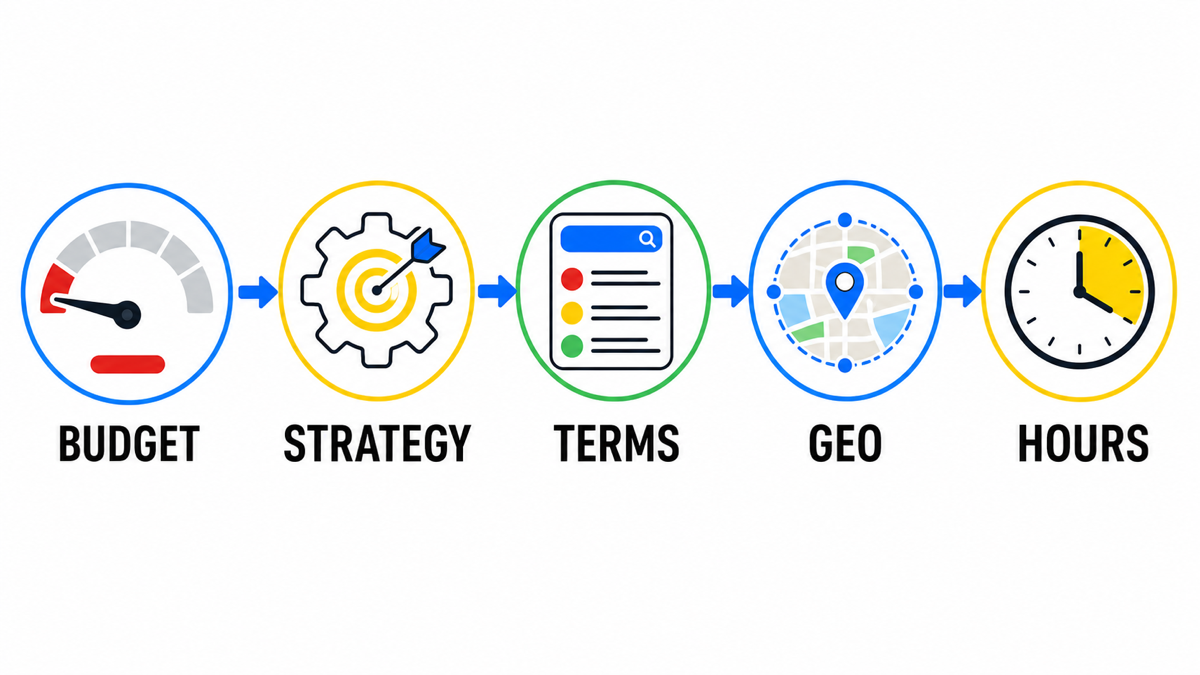
Reason 1: the strategy is working as designed
If the campaign uses Maximize conversions without a target CPA, this behavior is expected. Google explicitly says that the strategy aims to spend the full daily budget. It is not looking for savings. It is trying to generate as many actions as possible with the money available.
That leaves the budget itself as your only safeguard. You cannot set extra money aside in the budget just in case. The strategy does not see a reserve, only an amount it is allowed to spend.
What to do. Keep the strategy and deliberately cap the budget at what you are prepared to spend every day. Alternatively, switch to target CPA once the account has accumulated enough conversions.
Reason 2: you are paying for the wrong searches
Open the Search terms report and sort by cost. If the top five rows contain searches you never intended to target, you have found the cause. The budget is disappearing on people who were never likely to become customers.
Common budget drains include “free,” “do it yourself,” “jobs,” “reviews of,” competitor names on broad match, and generic category searches with no intent to buy.
What to do. Add negative keywords for anything that cannot lead to an enquiry, and tighten the match types. This costs less than increasing the budget and can improve traffic on the same day.
My e-book “19 Google Ads Secrets”: how to get the most out of Google Ads without draining your budget, drawn from real campaigns and tests.
See the book →Reason 3: money goes where demand does not exist
Review two reports: performance by location and performance by hour. It is common to find that a third of the budget goes to areas the business does not serve, or to overnight clicks when nobody can answer and the prospective customer finds somebody else before morning.
What to do. Limit location targeting to the genuine service area and check the Presence setting. By default, Google may include people who are interested in your location, not only those physically present there.
What you definitely should NOT do
Do not look for an Accelerated delivery option. It no longer exists. Google removed it in 2019, and campaigns now use standard budget delivery. Articles that still recommend switching to standard delivery have been outdated for years.
Frequently asked questions
Can Google spend more than the daily budget
It can spend more on an individual day while staying within the monthly limit. The system may spend more on high-demand days and less on others. Across the month, however, total spend will not exceed the average daily budget multiplied by the number of days.
What should I check first
Start with the bidding strategy. It takes five seconds to check and is the most common cause. If the campaign uses Maximize conversions without a target, the system is working as intended. The only question is whether that behavior suits your business.