
Google Analytics has a free standard version and a paid enterprise product called Google Analytics 360. A standard property does not start billing you because you add events, build audiences, or check reports more often. The case for 360 begins when a business reaches a specific product limit.
For a small business, those limits are rarely the first analytics problem. Defining meaningful actions and connecting website behavior to genuine inquiries matters more. Our guide to ad analytics for business owners explains how those measurements fit into a useful decision system.
What is free in Google Analytics
Google officially calls the free option Google Analytics standard properties. The paid enterprise product is Google Analytics 360. According to the Google Analytics 360 overview, it provides higher limits and more advanced features than the standard version.
Google does not publish an open 360 price in these materials. That makes the useful dividing line a list of requirements, not a guessed cost. If the standard property completes the work you need and no limit blocks a decision, there is no functional reason to move to the enterprise product.
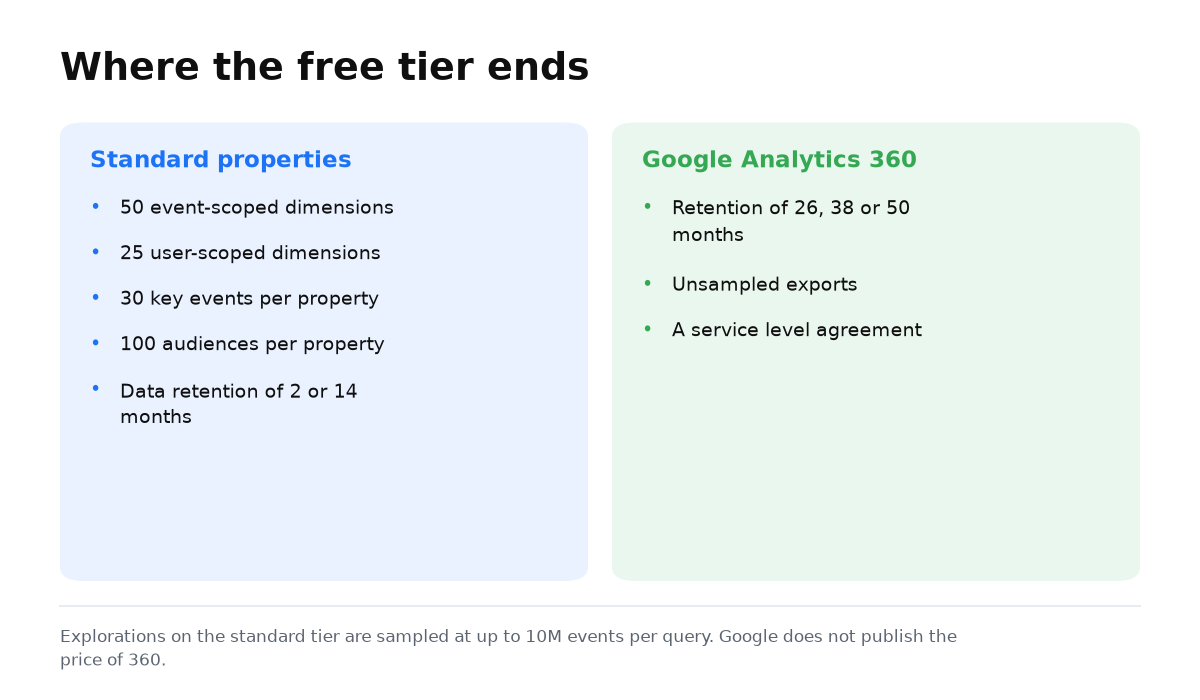
The main limits of the standard version
| What is limited | Standard property | When it becomes noticeable |
|---|---|---|
| Custom dimensions | 50 event scoped and 25 user scoped | When the team creates many custom ways to segment data |
| Key events | 30 per property | When almost every action is declared a business result |
| Audiences | 100 per property | When segmentation becomes highly detailed |
| User and event data retention | 2 or 14 months | When explorations need long comparison periods |
| Explorations | Sampling up to 10 million events per query | When one query covers a very large event set |
The official Analytics limits table lists the configuration boundaries. It is not a target to fill every available slot. If a business needs 30 key events, first ask whether every one of them represents an outcome that deserves management attention.
What happens to data after 14 months
A standard property lets you set user and event data retention to 2 or 14 months. The longer periods of 26, 38, and 50 months are available only in 360. However, the data retention setting does not shorten standard aggregated reports. It affects explorations and funnel reports.
This distinction matters. A familiar summary report can remain available while the detailed data needed to explore the behavior of a specific group is no longer retained. If the business needs that analysis, schedule it within the selected retention period or assess the enterprise option.
When Google Analytics 360 is genuinely necessary
- Name the exact report or exploration that cannot be completed in the standard property.
- Match the obstacle to the official comparison table instead of relying on a general recommendation to upgrade.
- Confirm that a product limit is responsible, not a poorly designed event, dimension, or audience structure.
- Decide whether the business will repeatedly use the added capability to make a decision.
The comparison of standard properties and 360 includes more than higher limits. It also lists service level agreements and unsampled explorations for 360. For a small website, the standard exploration limit of 10 million events in one query is usually not a practical obstacle.
You now have a usable boundary: standard GA4 remains sufficient until configuration limits, the period of retained detail, or exploration scale prevents a real business decision.
Tags and reports matter when they show payback. My e-book “19 Google Ads Secrets” shows how to get the most out of Google Ads without draining your budget, drawn from real campaigns and tests.
See the book →When this does not apply
Staying with the standard version is not the right advice for a company that has reached a confirmed limit, needs longer detailed retention, requires unsampled explorations, or depends on 360 service commitments. It also will not solve badly defined events. A more expensive product cannot turn an unclear website action into a meaningful business result.