
“Awaiting conversions” is a status on the conversion action, not on the ad. Google Ads has recorded no conversions for that action in the last 7 days. You will find it under Goals, then Conversions, then Summary, in the Status column.
Search Ads 360 help still describes an older set of statuses. The closest match to this line is “No recent conversions”: the tag has been seen, but nothing was recorded for 7 days. Next to it are “Unverified” (the tag has not fired yet) and “Tag inactive”. You might not see every new status in the account yet. How to build the action is in Google Ads conversion tracking setup.
What it means
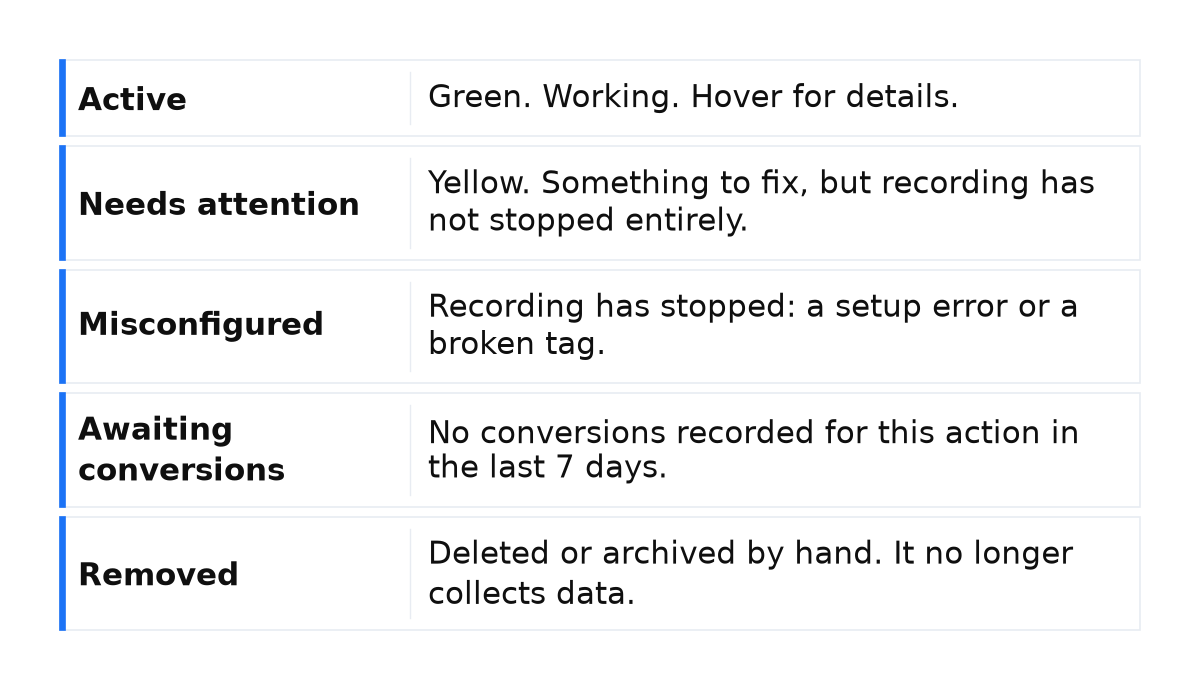
In the Google Ads help on conversion tracking status, a conversion action has one of five statuses. For “Awaiting conversions” the usual cause is an action created under 48 hours ago, paused campaigns, or traffic too low to trigger a conversion. Often it is a week without leads, or without clicks on the tagged page. A broken tag has its own name.
| Status in Summary | What it means |
|---|---|
| Active | Green. Working. Hover for details. |
| Needs attention | Yellow. Something to fix, but recording has not stopped entirely. |
| Misconfigured | Recording has stopped: a setup error or a broken tag. |
| Awaiting conversions | No conversions recorded for this action in the last 7 days. |
| Removed | Deleted or archived by hand. It no longer collects data. |
What is at stake
This line does not disapprove the ad or suspend the account: it is not a policy review, so it brings no warning and no suspension. A running campaign can keep getting clicks; whether bidding lacks a signal depends on which action is quiet.
The impact depends on which action has gone quiet. If it is a primary conversion action included in the campaign goals, a conversion-based bid strategy gets no signal to learn from for that whole week. A secondary action, according to the Google Ads help on primary and secondary conversion actions, is for observation only: bidding does not use it unless it is part of a custom goal. So I investigate the status within a day, starting with which action is quiet.
In the accounts I review, about three in four have a “Primary” action that is excluded from the Conversions column. About half count every lead, not one. In four in ten, that column holds a page view or a click. The action status and what automated bidding sees are different things. What belongs in the column is covered in what counts as a Google Ads conversion.
What to do
- Read the exact label. Open Goals, then Conversions, then Summary, and read Status on the action in your reports. Click the status to open “View details”. If it says Misconfigured, hover for the recovery steps: the cause may be a setup error or a broken tag.
- Check campaigns and tags. Make sure campaigns are running and tags are correctly placed and fire during a test conversion. The status is expected when the action was created under 48 hours ago, campaigns are paused, or traffic is thin.
- Run a test conversion in Google Tag Assistant. That shows whether the tag fires. The check is in the Google Ads help on tag status. A successful test shows that the tag works now; it does not prove that there were no conversions throughout the previous week.
- Check Primary and campaign goals. For the action you want to optimize bids for, check the “Primary” setting in Summary. Then check whether the action is used in the relevant campaign’s goal settings, and compare the data in the Conversions column. Do not infer that an action is used for bidding from its status alone.
- After a real conversion, wait for the report. Updates take 3 to 24 hours. Google Ads ties the conversion to the click date, so the row may not land on today.
What not to do
- Do not turn off automated bidding in a panic before you have checked the tag. A quiet week does not prove the strategy is broken.
- Do not create a new conversion action or a new account to clear the line. A recorded conversion or a repaired tag changes it.
- Do not park the review for a month. If the quiet action is a primary conversion in the campaign goals, the bid strategy has been learning without a signal the whole time.
- Do not rewrite the tag as if this were Misconfigured when campaigns are paused, or when no click reaches the tagged page.
When this does not apply
These steps are for “Awaiting conversions”. Misconfigured means recording has stopped from a setup error or a broken tag, and hover shows how to restore it. Unverified means the tag has never fired. Tag inactive means Google no longer sees the tag. Removed means the action was deleted or archived by hand. The line is not in the ad status column and is not an ad review.
If a conversion has already happened, 3 to 24 hours have passed, and the status has not changed, we can look at the account together: which action feeds automated bidding, and whether the tags fire correctly during the conversion.
My e-book “19 Google Ads Secrets”: how to get the most out of Google Ads without draining your budget, drawn from real campaigns and tests.
See the book →Questions and answers
Do ads still run when the status says Awaiting conversions?
Yes, if the campaign is running. This status does not disapprove the ad or suspend the account. Clicks can continue. If the quiet action is a primary action in the campaign goals, automated bidding gets no fresh conversion from it to learn from.
How is this different from Misconfigured?
Misconfigured means recording has stopped entirely: a setup error or a broken tag. Awaiting conversions means seven days with no conversion recorded. Usual reasons: created under 48 hours ago, paused campaigns, or traffic that is too low. Rewrite the tag after Tag Assistant shows it is silent.
Tag Assistant says the tag fired. Why is the report still at zero?
A firing tag and the report row use different clocks. The report updates in 3 to 24 hours, and Google Ads places the conversion on the click date. With no conversion from an ad click, the status stays “Awaiting conversions”.