
The “Editorial” line in the Status column means this ad was disapproved or limited: the text, an asset, or the page fails to meet the requirements for clarity, ease of interaction, or relevance. You see the line on the ad. Hover over the status to see which requirement the ad failed to meet.
The policy name alone is not enough to tell whether the ad can run: check the individual ad’s status. The wider path through review is in how to pass Google Ads review. Below is what the line means, what is at stake, and what to do.
What it means
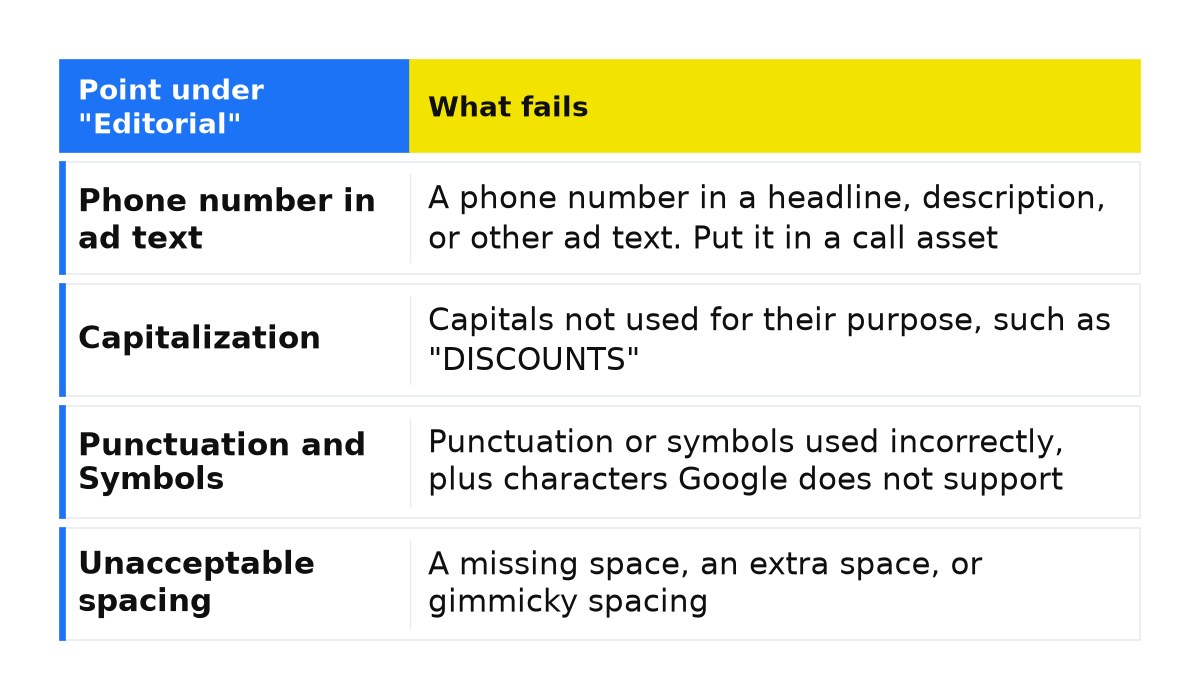
Enforcement follows the English text of the policy, and that text is the official one. In the account the line reads “Editorial”. The full list is in Google’s Editorial policy. A small business usually fails two points: a phone number in the ad text, and capitalization that is not used for its intended purpose, such as “DISCOUNTS” in all capitals.
| Point under “Editorial” | What fails |
|---|---|
| Phone number in ad text | A phone number in a headline, description, or other ad text. Put it in a call asset |
| Capitalization | Capitals not used for their purpose, such as “DISCOUNTS” |
| Punctuation and Symbols | Punctuation or symbols used incorrectly, plus characters Google does not support |
| Repetition | Unnecessary repetition of words or phrases, including across assets in one ad group, campaign, or account |
| Unacceptable spacing | A missing space, an extra space, or gimmicky spacing |
| Business name requirements | Any name other than the domain, the recognized advertiser name, or the promoted app, or promotional language in that field |
The policy includes five more requirements. “Image quality” stops images that are sideways, upside down, not filling the chosen size, blurry, flashing, or beyond the frame, and images with illegible text. “Video quality” stops poor sound, a blurry picture, and illegible text: replace a video you cannot fix. “Misuse of ad features” means the ad unit is not used for its purpose. “Unidentified business” means the ad or page never names the product, service, or organization. “Style and Spelling” covers spelling or grammar outside common use, text that makes no sense, or a style unlike Google Search results.
What is at stake
If the restriction details mention “Editorial”, check the individual ad’s status before relying on it for leads. The account is not suspended immediately for these points. A warning is issued at least 7 days before any suspension of the account.
Those 7 days come before an account suspension. Check the individual ad’s status separately from the account suspension warning.
What to do
- Open the ad and hover over its status. Check that the details name the “Editorial” policy and identify the requirement the ad failed to meet.
- If the text contains a phone number, remove it from the headlines and descriptions and keep it in a call asset.
- Correct inappropriate capitalization and remove stray punctuation and symbols. Add missing spaces and remove extra ones. Also remove a phrase repeated in another asset of the same ad group, campaign, or account.
- In the business name field, keep the domain, the recognized name of the advertiser, or the name of the promoted downloadable app. Remove promotional language from that field.
- If the status details mention an image or a video, replace it with a clear file that fits, then save.
- Save that same ad or asset. After you save, review starts again. The policy does not name how long that review takes.
What not to do
- Do not write a phone number in the ad text instead of a call asset.
- Do not open a new account or copy the ad to clear the line. The same text fails the same rule again.
- Do not treat the 7-day warning as a pause during which the disapproved ad can still run.
- Do not edit only the landing page when the status details identify a text issue. Check the ad text for phone numbers, capitalization, symbols, repetition, and spacing.
When this does not apply
I am explaining the “Editorial” line. If the click opens a different domain, the status is “Destination mismatch”. If Google limited someone else’s trademark in the ad text after the owner complained, that is “Trademarks”. The line checks clarity and form, not whether the offer is attractive. If the page does not name the business, that is “Unidentified business” inside this same line, not a separate account suspension.
If the Editorial status does not change after these steps, we can review the account together: the ad text, the call asset, and the details shown when you hover over the status.
My e-book “19 Google Ads Secrets”: how to get the most out of Google Ads without draining your budget, drawn from real campaigns and tests.
See the book →Questions and answers
Can I put the phone number in the headline if customers call?
No. Put the number in a call asset. “Phone number in ad text” still applies when the lead is a call, so the headline stays about the service.
Why is “DISCOUNTS” in all caps disapproved if the sale is real?
“Capitalization” looks at how the word is written. If the stated reason for disapproval is inappropriate capitalization in “DISCOUNTS”, change how that word is written. Write “discount” as an ordinary word in a sentence and save the same ad.
Will the account be suspended the same day?
No. A warning is issued at least 7 days before any account suspension. Check the individual ad’s status separately. A new account does not clear the same text.