
The first check each week is not the bid. It is which actions are primary in the goal that bidding uses.
While the strategy sees a count and not a value, a bid change trains the system on noise. The ad itself is built from Merchant Center data, not from keywords: the photo, the title, the price, and the store name. How the campaign is built is covered in the article on Google Shopping campaigns.
What weekly management covers
Management starts once the campaign exists. It is linked to a Merchant Center account, and that account cannot be changed later. The feed label decides which data sources can enter the campaign. Standard Shopping charges per click only when the click goes to the site or to a Google-hosted local inventory page, as the help article on product ads says. Paid ads give more control than free listings, which depend on offer quality and Google’s algorithm, as the help article on creating a Shopping campaign says. If you sell into Ukraine and the feed is still being built, that is a launch, not this weekly routine. The launch order is covered in the article on Google Shopping ads in Ukraine.
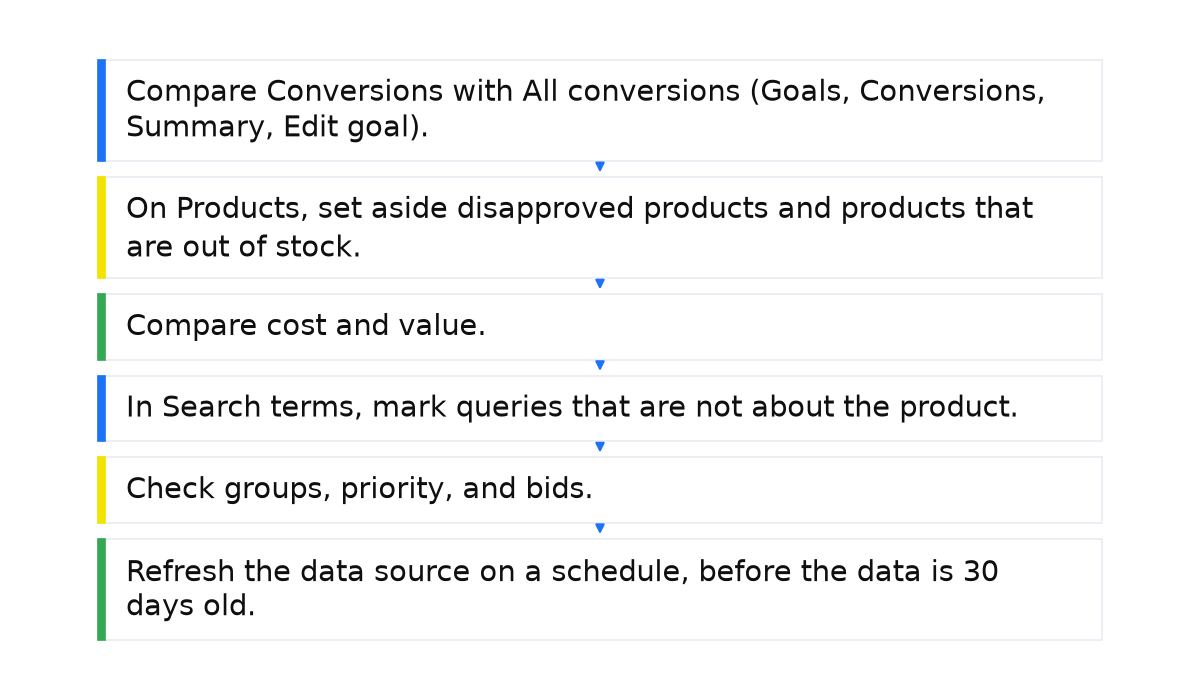
Six checks each week
| Check | Where to look | What to do |
|---|---|---|
| Conversions | Conversions versus All conversions. Goals, Conversions, Summary, Edit goal | Do not change the bid while a duplicate is primary in the bidding goal |
| Product statuses | Campaigns menu, Products tab | Do not fix disapproved or out-of-stock products with a bid |
| Who takes the budget | The same tab: value and cost | First a separate group or a lower bid. Exclude only if it still does not sell |
| Search terms | Search terms report | Queries that are not about the product, then negative keywords |
| Groups, priority, bids | All products. Low, Medium, High | Without a group the product is not in the ad. Priority is only for several standard campaigns on one product in one country |
| Feed | Merchant Center: shipping, countries, languages, schedule | Refresh the source on a schedule, before the data is 30 days old. Products added directly in Merchant Center do not expire |
What to do in your account
- Compare Conversions with All conversions (Goals, Conversions, Summary, Edit goal). Do not change the bid while a duplicate is primary in the bidding goal.
- On Products, set aside disapproved products and products that are out of stock.
- Compare cost and value. Judge a product with no value over a period longer than the store’s own order delay: first a separate group or a lower bid, and exclude it only if it still does not sell.
- In Search terms, mark queries that are not about the product. Add negative keywords after that.
- Check groups, priority, and bids. Excluded means the product is not in an active group.
- Refresh the data source on a schedule, before the data is 30 days old.
Conversions and value before any edit
Primary actions sit in the Conversions column and are used for bidding when the standard goal they belong to is used for bidding. Secondary actions stay in All conversions unless they are in a custom goal: then they are used for bidding too. The check is Goals, the Conversions drop-down, Summary, Edit goal, then Primary or Secondary (observe only). The path is in the help article on primary and secondary actions.
In the accounts I review, more than one in four accounts with purchase tracking have two or more purchase actions in the Conversions column. About two in three accounts have an action marked primary whose category no campaign goal bids on. Treat that as a warning: one edit of the goal, and bidding starts optimizing toward that action. This is a 2026 snapshot of accounts that came in for an audit or for management. They may be messier than the market. Two purchase actions are not always a duplicate: they can be different sites or offline orders.
For a standard Shopping campaign, Google’s help lists Target ROAS, Maximize clicks, Maximize conversion value, and manual CPC. Target ROAS and Maximize conversion value need conversions. Maximize clicks does not. If tracking is off, Google Ads may limit how much the campaign can spend. Where to start the conversion action is covered in the article on Google Ads conversion tracking setup.
In a store with a long purchase path, the lead is often recorded on the day of the click and the order arrives days or weeks later, so return on a fresh window is understated: it is a floor. Apart from that, a default value on the conversion action changes reported return and does not change sales. One event can count as several conversion actions. That changes bids only when those actions are primary in the bidding goal.
The product report: who takes the budget
Each week I open the Products tab in the Campaigns menu. Account level covers standard Shopping and Performance Max. Campaign level also covers video, App, and Demand Gen. Since June 2026 the report has expanded. Cost and conversions used to cover only Performance Max on Search and standard Shopping. They now cover all Performance Max networks, and also video, App, and Demand Gen, so Performance Max can show a one-time jump in impressions, clicks, and other metrics. Do not expect that one-time jump on a standard Shopping campaign. The path is in the help article on product reporting.
Products totals and the campaign report can disagree. Google’s help calls this difference expected, not an accounting error. Cost and conversions here are only the share from ads that served feed products. Impressions, Engagements, and TrueView views are counted per product: one ad with 5 products is 5 product impressions and 1 campaign impression. A click on the product, or on the headline or store name, does not explain that difference in the totals. Disapproved and out-of-stock products are not shown. Why a product is disapproved is covered in the article on Merchant Center product disapprovals.
In my own work, a product that keeps taking budget with no value is judged over a period longer than the store’s own order delay. I move it to a separate product group or lower the bid on that group first. I exclude the product only when it still does not sell.
Search terms and negative keywords
The search terms report, under Insights and reports, shows queries that a significant number of people typed and that triggered an impression. A Shopping campaign does not use keywords for targeting, but negative keywords exist in it. Add them on the campaign or the ad group via Audiences, keywords, and content, then Search keywords, then Negative search keywords. Match types are covered in the article on negative keywords in Shopping campaigns.
Product groups, priority, and bids
A product group is a slice of the catalog with one bid. A product with no active group does not enter the ad: the status in the account is Excluded. A new campaign starts from All products. How to split the catalog is covered in the article on Shopping product groups and priorities.
Priority matters only when several standard Shopping campaigns advertise the same product in one country. The default is Low. You can set Medium or High. The help article on priority says the higher-priority campaign bids even when the lower-priority bid is larger. If the higher-priority campaign runs out of budget, the next lower one bids. A higher priority does not beat other advertisers. The article on a campaign that is not running says something else: the higher bid will likely win, and when the bids are equal the higher priority wins. I check search terms and Products to see which campaign actually gets the impressions, and I do not keep one product in several campaigns without a purpose.
You cannot choose Target ROAS unless there are at least 15 conversions per Merchant Center ID in 30 days and tracking is on. Separately, Google’s help advises a different check: whether the strategy gets at least 15 conversions a month. Fewer, larger campaigns usually work better. The 4-week starting point for the Target ROAS goal itself is average conversion value divided by cost. A target set too high can cut clicks, and cost per click can move up and down. Google’s help calls that result expected. Google’s help advises giving the strategy 15 days before you judge it, and looking weekly, not daily, when traffic is low. On a limited budget, Google’s help advises Maximize conversion value without Target ROAS. The 5-14 day phase after a meaningful budget or bid change exists only for automated strategies (Target ROAS, Maximize conversion value, Maximize clicks), not for manual CPC. Google’s help advises no further changes during that phase. Excluding data for automated bidding affects the conversion forecast and does not erase bid history. The thresholds are in the help article on Target ROAS and in the article on Target ROAS.
Performance Max next to standard Shopping
A Performance Max campaign does not cancel this weekly order, and standard Shopping priority does not apply to it. For Performance Max, Google’s help lists Maximize conversion value with an optional Target ROAS, and Maximize conversions with an optional target CPA. That is not the standard Shopping list. When to keep the standard campaign is covered in the article on Performance Max versus standard Shopping.
The feed and product titles
If every Shopping campaign is down, I check a Merchant Center suspension and the link to Google Ads first. Then the product-side causes: an unverified website, no shipping to the campaign country (the campaign may not start), a minimum order value (a cheaper product is not shown), adult products only for the matching audience, and feed countries or languages that do not match the campaign countries.
Product data expires 30 days after the last refresh, so refresh the source on a schedule before that. Products added directly in Merchant Center do not expire. [expiration_date] stops serving after the date in the field. An attribute change can exclude a product. After you link Merchant Center and Google Ads, there is no separate waiting period. The crawl and indexing of products can still take hours or days.
Titles in [title] are covered in the article on Google Shopping product titles. The account and the feed are covered in the article on Google Merchant Center setup.
Other people’s click-through rates and click prices
Other people’s averages are context, not the week’s plan. WordStream is a US study from 2018-2019. First Page Sage and Optmyzr publish averages and do not name a country.
| Source | Year of the data | CTR | Cost per click | Conversion rate |
|---|---|---|---|---|
| WordStream (US), reprinted by Store Growers, Shopping | 2018-2019 | 0.86% | $0.66 | 1.91% |
| First Page Sage, product ads (PLA), top 8 positions | 2024-2025 | 1.1%, data from April 2024 to April 2025 | not given | not given |
| Optmyzr, as covered by Search Engine Journal, Performance Max | Q1 2026 | from 1.29% to 1.68% | not given | not given |
Store Growers reprints WordStream 2018-2019 (US), plus a cost per conversion of $38.87 and a Bing Shopping click-through rate of 1.25% in that same comparison. First Page Sage gives 1.1% on the top 8, with data from April 2024 to April 2025. Do not compare these two rates: different studies, and the First Page Sage figure is not your store’s share of clicks. In the Optmyzr report for Q1 2026, as covered by Search Engine Journal, Performance Max CTR rose from 1.29% to 1.68%. Cost per conversion rose and return on ad spend fell slightly. The publication gives no size for that change, so I do not fill one in.
When this does not apply
Weekly bid edits do nothing useful while the campaign is in review. A new campaign is reviewed in 1-2 days, and learning can take up to 2 weeks, with results that move around. That is what the help article on getting product ads running says. New or changed ads, creatives, products, or data sources are reviewed in 24-48 hours. The first review of some programs, such as free listings or vehicle ads, can take several weeks. Those windows are the review and the learning of a new campaign. They do not replace the 15 days Google’s help advises before you judge a strategy, and they do not replace the 5-14 day phase after a meaningful budget or bid change on an automated strategy.
Priority is not a lever unless several standard Shopping campaigns advertise the same product in one country. The advertiser does not control seasonality or a shift in demand.
Low traffic can come from an account block or a billing problem, from today’s date not falling between the start date and the end date, from a pause on the campaign, the ad group, the asset, or the ad, from targeting that is too narrow (including remarketing lists), from the ad schedule, from a very low bid, from other advertisers in the same auctions, and from an automated conversion strategy with too little data or with broken tracking. Auction insights shows no data when impression share is less than 10%.
I put the whole system behind these weekly checks into a short e-book.
My e-book “19 Google Ads Secrets”: how to get the most out of Google Ads without draining your budget, drawn from real campaigns and tests.
See the book →Questions and answers
What order should the weekly check follow?
One order. Conversions first, then product statuses, then who takes the budget, then search terms, then groups, priority, and bids, and the feed last.
When do you change the bid, and when do you wait?
I do not touch the bid while the wrong action is primary in the bidding goal. Google’s help advises giving Target ROAS 15 days before you judge it. After a meaningful budget or bid change on an automated strategy, I wait 5-14 days and make no further edits. Those 5-14 days do not apply to manual CPC.
Why is yesterday’s return lower?
The lead is often recorded on the day of the click, and the order arrives days or weeks later, so return on a fresh window is understated.
Which campaign bids when several campaigns share one product?
Google’s help gives two descriptions. The higher-priority campaign bids even when the lower-priority bid is larger. The other article says the higher bid will likely win, and when the bids are equal the higher priority wins. I check which campaign actually gets the impressions, and I do not keep one product in several campaigns without a purpose.