
Click fraud is a form of online advertising fraud that affects Google Ads campaigns. The problem becomes more relevant each year, and companies worldwide lose millions of dollars every day to fraudulent clicks. Every advertiser should understand what click fraud is, how to recognise it, and what to do when it appears.
Google Ads traffic is charged by the click, so fraudulent activity can drain a campaign budget quickly, especially for a small or midsize business. Instead of bringing real prospects to your website, those paid clicks bring bots or people who have no interest in buying.
The main types of click fraud
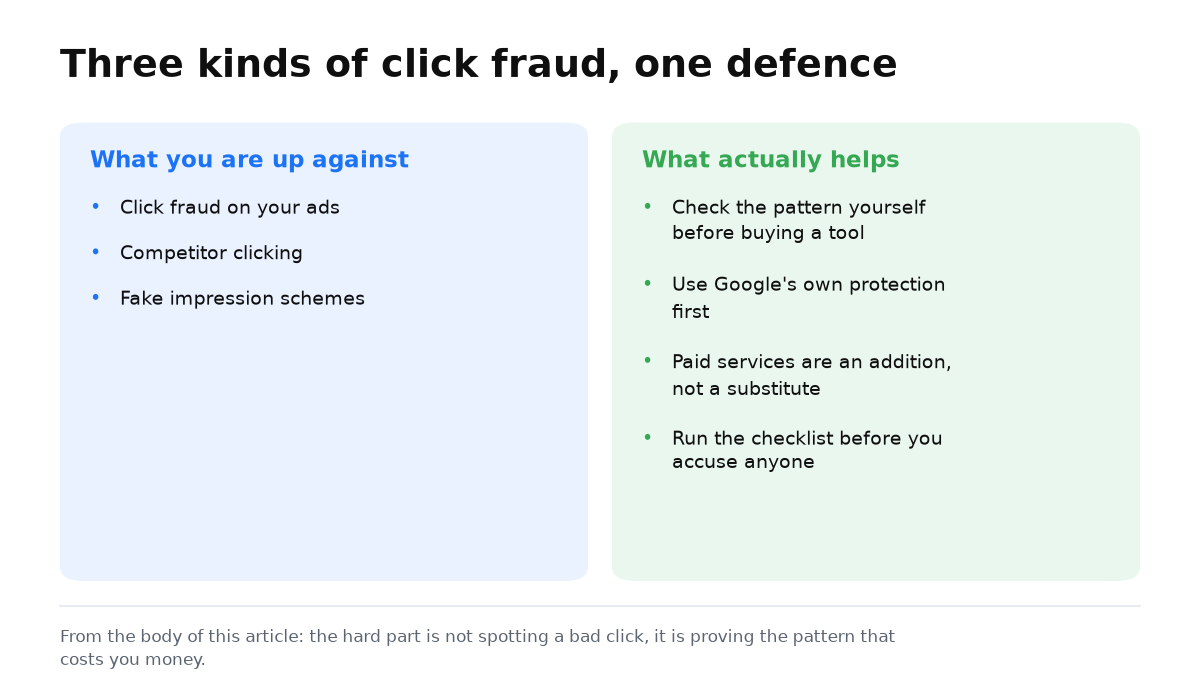
Advertisers can encounter several forms of fraudulent activity. The main types are:
- click fraud;
- competitive click fraud;
- fake impressions.
Click fraud
Click fraud means artificially increasing the number of ad clicks to earn money or waste a competitor’s advertising budget.
When ads appear on a website, its owner can receive up to 68% of the click price. This model supports an entire category of MFA, or Made for AdSense, websites. They exist primarily to make money from clicks on Google Ads.
Some publishers use bot farms and servers that imitate real visitor behaviour and click ads on selected websites.
Competitive click fraud
A competitor may click your ads deliberately so that your budget runs out and their ad can gain a better position in Google results. This can become a serious cost for the business because paid traffic budget disappears without creating demand.
Instead of competing by improving a website, an offer, or customer service, dishonest businesses may try to weaken another advertiser by exhausting its Google Ads budget.
The clicks can come from bots or people paid very little for the task. They search for selected keywords, find a particular advertiser, and click its ads repeatedly.
Fake impression fraud
This method artificially increases ad impressions without generating clicks. The goal is to reduce the click-through rate, or CTR. A lower CTR can reduce Quality Score, after which an ad click may cost up to ten times more.
Why click fraud is difficult to stop
It is technically easy to create a bot that clicks ads. Online advertising involves large budgets, so fraudulent techniques keep becoming more sophisticated. Modern bots can bypass many common defences by:
- changing the IP addresses used to visit your page;
- using lists of real Google accounts;
- passing CAPTCHA checks, sometimes with help from low-paid workers;
- passing SMS verification with temporary phone numbers;
- imitating mouse movements to look like a real visitor.
The problem becomes worse when automated clicks are followed by a conversion action on the website. This creates two further risks:
- Your analytics become polluted by false data. Reports show conversions, but the people behind the enquiries know nothing about your business when contacted.
- Google may show your ads to more users with similar behaviour because the system sees them as converters. Its AI can identify other bots or fraudsters with comparable patterns and treat them as promising prospects.
How to protect your Google Ads campaigns
Large companies are usually less exposed to click fraud as a share of total spend. With their larger campaign budgets, invalid clicks often account for no more than 10% to 20%. They can also afford paid fraud protection services.
How I assess suspected click fraud
My fraud detection work with Lunio taught me not to label every spike as fraud. I look for repeated patterns, compare them with the Invalid clicks column, and add only confirmed traffic sources to IP exclusions. I make the decision from several reports, not from one suspicious IP address.
Google explains how to check invalid traffic and exclude confirmed IP addresses. It also warns that a spike in clicks alone does not prove fraud.
Paid click fraud protection services
Lunio, for example, is designed to analyse, verify, and protect Google Ads traffic. It uses AI to identify the presence and scale of suspected click fraud and stop attempts as they occur.
Lunio and similar services are paid products. Their fees are generally practical for companies spending at least $50,000 per month on advertising. Smaller companies, however, can lose up to 100% of their advertising budget to invalid clicks.
Google’s built-in protection against invalid clicks
Google benefits when advertising works and businesses keep using it, so the platform tries to detect and filter click fraud. Google Ads reports the number of invalid clicks recorded for your ads. Google does not charge you for clicks it identifies as invalid.
However, this built-in mechanism is reported to identify no more than 5% of all fraudulent Google Ads clicks.
Protection principles for small and midsize businesses
There are two main approaches:
- Reactive protection begins after click fraud has been identified or is strongly suspected.
- Preventive protection reduces the opportunity to click your ads fraudulently in the first place.
Reactive protection
Monitor visitor behaviour and look for suspicious click sources such as:
- bots;
- real people whose location does not match the area served by your business.
Add confirmed sources to your excluded IP address and audience lists so that they no longer see your ads. You may still pay for the first clicks because detection takes time.
An IP exclusion only covers that specific IP address. If the address changes, you must repeat the process.
Preventive protection
You can reduce click fraud at campaign setup by blocking ads from appearing on suspicious placements, including websites, apps, and YouTube channels associated with fraudulent clicks on search or display ads. Placement exclusion lists help with this task. Negative keywords provide a separate layer by filtering irrelevant searches.
Another preventive measure is careful targeting. Build audiences around genuine website visitors so that bots are less likely to qualify.
With these two layers in place, you can move from isolated reactions to a repeatable protection routine for the whole account.
An audit finds the leaks; steady leads come from the system around your ads. My e-book “19 Google Ads Secrets” shows how to get the most out of Google Ads without draining your budget, drawn from real campaigns and tests.
See the book →Click fraud protection checklist
Turn these checks into a routine instead of treating them as a one-time cleanup. Fraudulent activity can return after an account has been reviewed.
- Maintain an excluded IP address list. Review placements and account security data for repeated clicks without conversions. Add confirmed addresses promptly instead of waiting until month end.
- Review Display Network placements every two weeks. The placement report can reveal websites, apps, and YouTube channels with high CTR and no conversions. These are the first candidates for placement exclusions.
- Create an automated rule for abnormal CTR or click spikes. An alert tied to a particular keyword or placement gives you a chance to investigate before the budget is exhausted.
- Use negative keywords, but do not treat them as your only defence. They filter irrelevant searches, not bots or people clicking from real IP addresses. Those risks require different controls.
- Compare click location and timing with real customer behaviour. Clicks from areas outside your targeting or spikes at unusual hours are reasons to investigate.
- Check lead quality manually. Call or message a sample of people who submitted an enquiry. A gap between reported conversions and genuine conversations can expose fake conversion activity.
- Watch bounce rate when clicks rise. More traffic combined with a higher landing page bounce rate can indicate artificial activity rather than genuine interest.
- Contact Google Ads support when click fraud is confirmed. Collect IP address, timing, and click pattern evidence to support a compensation request.
What to conclude about click fraud protection
Google Ads click fraud is a real risk, particularly for small and midsize businesses. Losses can become large enough to disrupt normal operations. Use the following principles to reduce that risk:
- Prefer preventive controls. Plan placements carefully, especially on the Display Network, and use placement exclusion lists.
- If you find suspicious activity in Google Ads, contact Google support and provide evidence. Google may compensate you if it confirms invalid clicks.
- You can also investigate suspected activity yourself by identifying fraudulent IP addresses and adding them to exclusion lists.
- Look closely at the following warning signs:
- a sudden spike in clicks at particular times or on particular days;
- low conversion volume despite many visits;
- a high bounce rate as visitors leave the landing page quickly;
- a rapid rise in CTR for one keyword, or an unusually high CTR of 50% or even more than 100%;
- many enquiries from the same IP address or Google account;
- clicks from locations that do not fit your target market.
- Analyse each case carefully. Advertisers sometimes suspect competitive click fraud when no fraud has occurred. Many clicks and few sales can also point to a weak website. The traffic arrives, but visitors choose another business instead of becoming customers.