
Here is how images can affect search advertising, which accounts can add this asset, and what to check before submitting a picture for review.
- how an image can affect ad performance;
- which requirements an account must meet;
- which images are more likely to pass review.
Why add an image asset to a search ad
Search ads are mostly text. A picture stands out against that text and can make an ad more noticeable than one without an image.
Other assets explain what your company does and what it offers. They include:
- callouts;
- sitelinks;
- structured snippets.
These assets can describe brands, products, services, promotions, and discounts. Depending on the asset, you can also add:
- promotion and pricing details;
- a lead form;
- a phone number and location;
- information about an app;
- company ratings and reviews.
All of these are still text. Even a small picture can separate your ad from competing listings and encourage a user to visit the landing page.
The main benefit of a Google Ads image asset is the potential to increase CTR. A stronger ad may appear in higher search positions more often. More qualified visits can lead to more conversions and sales, while CPC, the cost per click, may decrease. The overall result can be more efficient advertising.
Which Google Ads accounts can add image assets
This feature is not available to every advertiser. An account must meet Google’s requirements before the option appears.
Why I select images manually
I use an image as a quick answer to a specific search intent, not as decoration. Before uploading it, I check whether the subject is clear without a caption, whether cropping removes its meaning, and whether the visual promise matches the landing page. I reject a generic attractive picture when it could accompany almost any ad and adds no useful detail.
Google lists its requirements and recommendations in the guide to image assets for search campaigns.
- the account is more than 90 days old;
- it has active ads and campaigns;
- it has spent money on advertising during the past 28 days;
- it has no record of serious Google Ads policy violations and remains in good standing;
- the business is not related to medicine, alcohol promotion, gambling, or sexual content.
If all conditions are met, open “Ads & assets” and choose “Assets.” Use the “+” button to add pictures to your ads.
Which images to choose and how to add them
In “Assets,” select “Images.” Upload files from your computer and add them to the “Asset library.” You can assign an image asset at campaign or ad group level.
I recommend using pictures directly related to the advertised product. An ad group should show the specific product or service it promotes. The image should match the keywords, headline, ad copy, and the content of the landing page behind the URL. Relevant pictures are the ones that help improve contextual advertising.
Here are examples for different types of businesses:
- an online retailer can use photos of its actual products;
- a legal services firm can show its lawyers or a consultation in progress;
- an auto repair business can show the workshop where repairs take place;
- an expert can use a picture of the person who provides advice and assistance.
Google Ads requirements for image assets
For an image to be eligible to appear on desktop and mobile devices, it must meet Google’s requirements:
- do not place text over the image;
- crop it so there is not too much empty white space around the subject;
- do not use a collage made from several pictures;
- use a high quality image that is not blurred or distorted;
- do not use pictures of people who are not fully clothed.
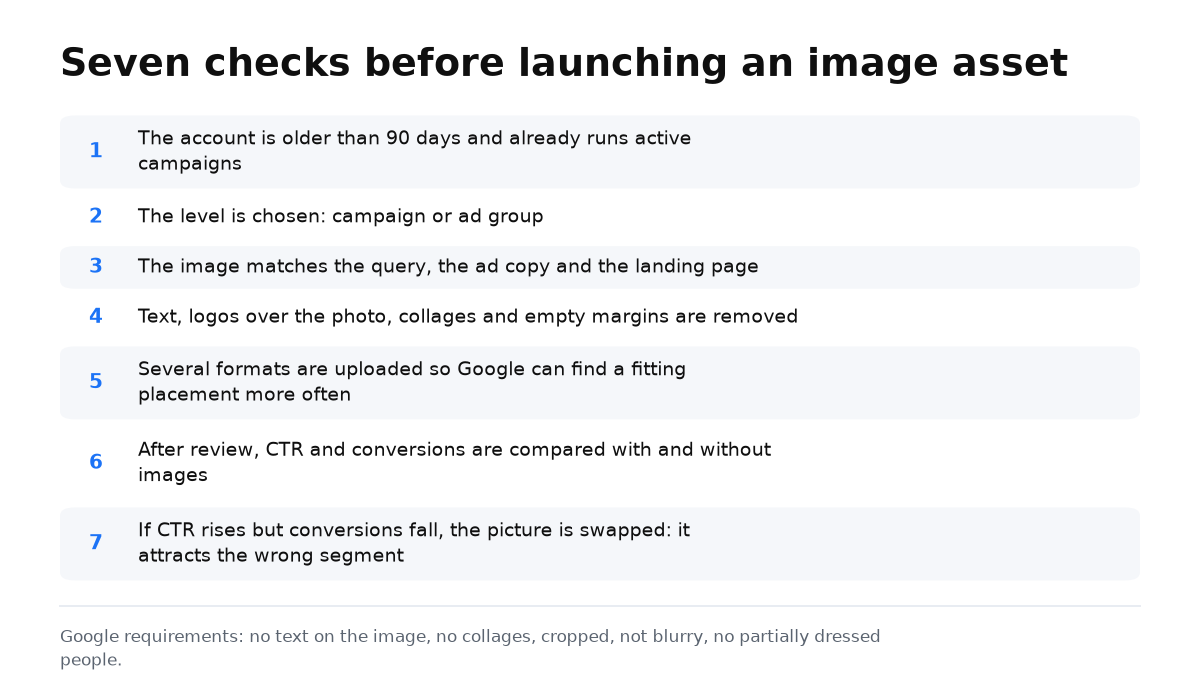
Checklist before launching an image asset
- Confirm that the account is more than 90 days old and already has active campaigns.
- Choose the assignment level: campaign or ad group. Ad group level is better for different products.
- Select a picture that matches the query, ad copy, and landing page.
- Remove text, logos placed over the photo, collages, heavy editing, and unnecessary empty space.
- Upload several format options so Google has more opportunities to choose a suitable version.
- After review, compare CTR and conversions for ads with and without images.
- If CTR increases but conversions decline, replace the picture. It may be attracting the wrong audience segment.
You now have a practical way to choose an image, confirm eligibility, and evaluate the result after launch.
My e-book “19 Google Ads Secrets”: how to get the most out of Google Ads without draining your budget, drawn from real campaigns and tests.
See the book →Conclusions about image assets
I recommend adding an image asset when setting up a Google Ads campaign. It can make ads more effective when the picture is relevant and meets moderation rules.
You can also improve advertising by adjusting bids, enabling automated dynamic assets, and reviewing search query data. Still, adding a high quality and relevant picture is simple, free, and can make the audience more interested in the ad.