
A Google Ads lead form lets someone submit their name, phone number or email without visiting your website. It gives your business a way to capture contact details directly from an ad, although submitting a form does not mean that person is ready to buy.
Lead forms are advertising assets. Google describes creating them for Search and Performance Max campaigns. If you plan to use a form with another campaign type, including YouTube advertising or Demand Gen, first check availability in your account and Google’s lead form guidance.
How a Google Ads lead form asset works
Someone sees your ad, opens the form and enters their contact details. Opening the form counts as an ad click; submitting the completed form counts as a conversion. Keep those events separate when assessing results: opening a form does not give your sales team a contact to follow up.
You can retrieve submitted contacts manually or set up an integration:
- Download a CSV file. Manual downloads cover leads submitted within the past 30 days, so you need to repeat the process regularly. Do not wait until that window is nearly over to contact people.
- Connect your CRM. An integration sends contacts automatically to your customer management system. A developer may be needed to configure it. You can then arrange email notifications for your team or collect the information in a spreadsheet for further work.
Why lead forms can underperform in practice
The potential benefits are attractive:
- You can capture an enquiry without sending someone to your website.
- A shorter submission process can increase the number of leads.
- Your team can contact a potential customer promptly.
In my experience, however, lead forms have often delivered disappointing results. Getting contact details is easier than finding someone who wants a serious conversation about buying. At launch, I recommend focusing on lead quality and follow-up before complicating the setup with rarely used demographic adjustments, such as income bid adjustments.
When setting up a form, you choose your audience and decide whether to prioritise more enquiries or stronger intent.
- More leads. A simple form takes little effort to complete. That can increase submissions, but some of the people counted as conversions may have very little interest in your product or service.
- More interested leads. Extra steps can help filter out casual enquiries. They also cause more people to abandon the form. You may get better contacts, but fewer of them, and the volume may be too low to make a meaningful contribution to your business.
Which businesses can benefit from lead forms?
The format makes sense when the next step is a consultation, a quote or a conversation with your team. Someone submits their details in exchange for a clear offer. That business model still needs to meet Google’s requirements for the account and service category.
How I add a qualifying question to a lead form
I do not try to make every form as short as possible. If the sales team needs a specific sign that someone is a suitable prospect, I add one clear qualifying question and agree in advance which answer qualifies. I also use an integration to deliver leads, so response times do not depend on someone remembering to open the advertising account.
Google covers questions and delivery options in its guide to creating lead form assets.
- Service businesses, including appliance repair, online education, consulting and property services, where the category meets Google’s policies.
- Products with strong margins and a narrow audience, where a sale starts with an enquiry.
- B2B and B2C businesses that advertise to generate contact with potential customers.
Clear offers include “Book a consultation”, “Request a quote” and “Book a free lesson”. The wording should tell people exactly what they will receive after submitting the form.
Where to add a form and which requirements apply
You can add a lead form at account or campaign level. If both levels have different forms, the campaign form takes priority. This lets you match the form to the offer promoted by that campaign.
Availability depends on the country where the ad appears, the campaign type and the account’s status. Check your target markets against Google’s guidance before launch. Seeing another advertiser use a form does not establish that your own campaign is eligible.
Review these requirements:
- Your advertising and business category must comply with Google’s policies. Prohibited and sensitive categories face restrictions.
- Your account needs a good history of policy compliance.
- Your business needs a privacy policy. You provide its link during setup, and people can see it at the bottom of the form.
- Some formats have additional spending and advertiser verification requirements. Check which conditions apply to the way you intend to show the form.
- For the Search format, check that you use a responsive search ad and a bidding strategy focused on conversions.
Google’s lead form requirements specify more than $50,000 in total spend for certain formats. Reputable advertisers spending more than $1,000 per account may also qualify after further verification. This is not a universal monthly spending requirement for every lead form.
The terms for using Google Ads lead forms
Before launch, you need to accept the lead form terms and understand what they allow you to do with the contacts you collect. Violations can lead to advertising restrictions or account suspension. Campaigns serving European audiences deserve particular attention to data protection requirements.
Many advertisers accept the agreement without reading it. I recommend opening your account settings in the administration area and finding the lead form ad terms. Pay particular attention to these three points.
Condition 1: explain how you collect and store personal data
Your privacy policy should explain that you collect personal information, including the name, phone number or email address requested by the form. Add the policy link when configuring the asset so people can read it before submitting their details.
Condition 2: do not sell or misuse the data
A contact submitted in response to your offer is not a product to resell. That includes both a direct sale and handing the contact to a business partner in exchange for payment. Receiving an enquiry does not give you permission to use the information for any purpose you choose.
Condition 3: do not disclose the contacts you collect
Do not pass form contacts to data brokers or unrelated parties for their own calls and mailing lists. This matters particularly if your plan involves reselling leads: collecting information through a form does not give you unrestricted permission to distribute it.
A violation does not become acceptable because it goes unnoticed at first. I recommend handling contacts according to the terms you accepted and the purpose for which the person submitted the enquiry.
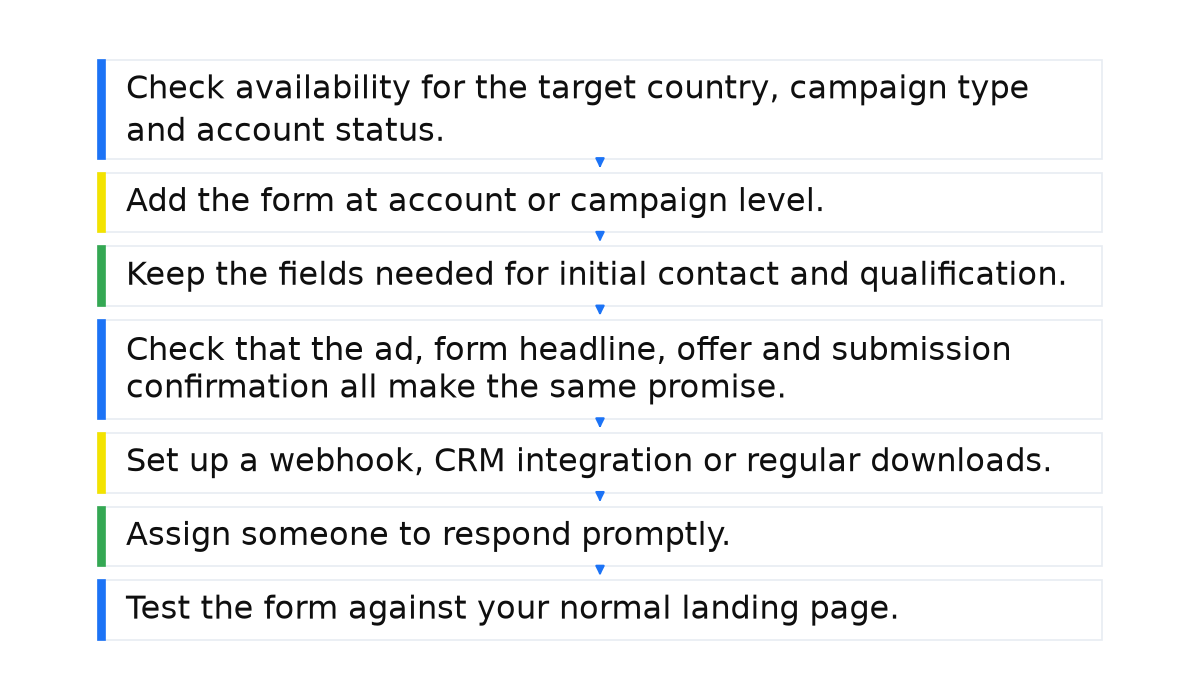
Lead form launch checklist
- Check availability for the target country, campaign type and account status.
- Add the form at account or campaign level. Avoid combining unrelated offers without a reason.
- Keep the fields needed for initial contact and qualification. A shorter form can generate more enquiries but lower their quality.
- Check that the ad, form headline, offer and submission confirmation all make the same promise.
- Set up a webhook, CRM integration or regular downloads. Do not leave enquiries waiting in the advertising account.
- Assign someone to respond promptly. A lead’s interest can fade quickly after submitting a form.
- Test the form against your normal landing page. Compare cost per qualified lead and cost per sale, rather than CPL, or cost per lead, alone.
Conclusions and recommendations
I do not consider lead forms the strongest tool in paid search. They need a clear offer, careful setup and prompt follow-up. Without those elements, you risk collecting casual or spam enquiries instead of future customers.
If you decide to test the format, check that the campaign meets Google’s requirements. Do not promise one thing in the form and then ask for something different. The wording should help people understand the offer, without misleading them.
- Write a clear headline, form description and call to action.
- Match the form to the audience, targeting and ad creative.
- Monitor lead quality and test different forms against sales results.
Without this work, a low cost per enquiry tells you little about the value the campaign creates for your business.
What should you do next?
A lead form is one part of the account. Before expanding it, work through the related questions that affect your ability to reach people, control changes and keep advertising running.
- How do customer contacts connect to audiences? Review how customer lists work in Google Ads and the conditions for using them.
- What should you check before launch? Review the account settings and avoidable mistakes that can waste your advertising budget.
- How can you control automatic changes? Check which Google Ads recommendations are set to apply automatically.
- What about advertiser verification? Check the verification requirements and complete the process when required.
- Where should you start with campaign setup? Review the wider Google Ads setup so that the form fits the campaign’s purpose.
When this does not apply
- The account, business category or campaign does not meet Google’s requirements, or the business has no privacy policy.
- Cheap enquiries are treated as success without checking lead quality against sales and CRM records.
- There is no prompt CRM delivery or regular download process, so contacts lose interest before your team responds.
A lead form produces useful results when advertising and sales work together. To manage that process confidently, build a practical understanding of Google Ads, from the offer and audience to checking what happens after each enquiry.
A campaign built by the manual still does not guarantee leads. My e-book “19 Google Ads Secrets” shows how to get the most out of Google Ads without draining your budget, drawn from real campaigns and tests.
See the book →