
Google Ads Smart campaigns can produce results, but automated campaign types do not all perform alike. Before giving the system more control, a business owner should understand what Google handles and what remains their responsibility.
What Google automates in a Smart campaign
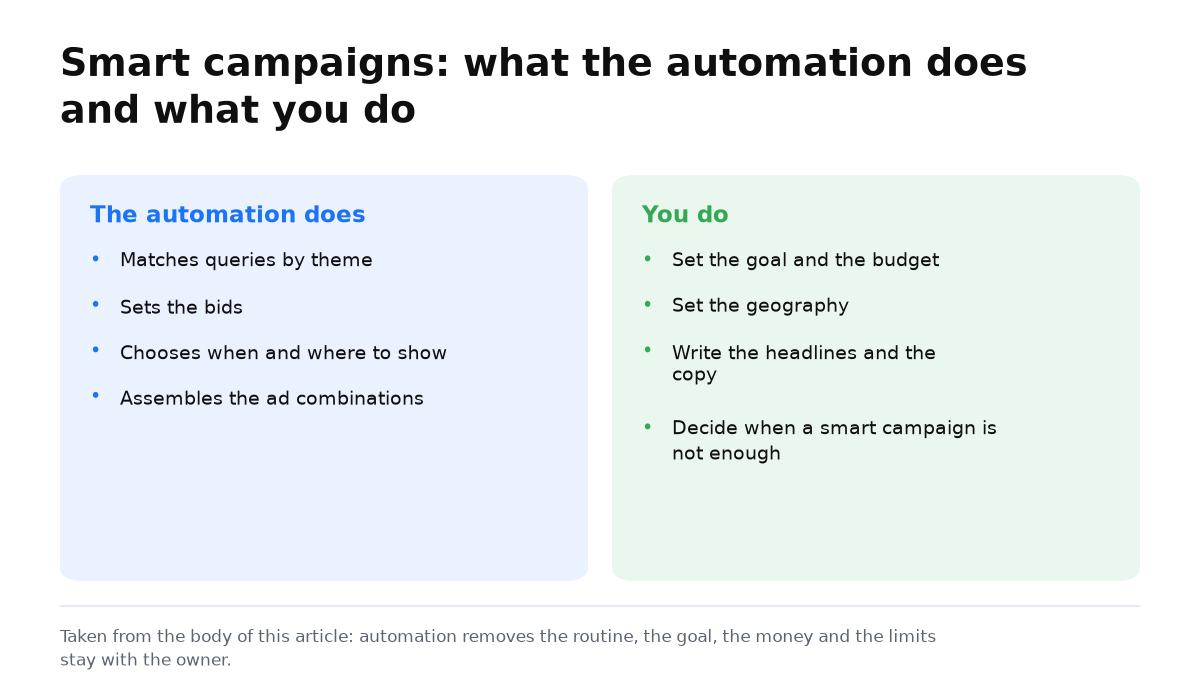
A Smart campaign is largely automated and uses artificial intelligence. Google takes over work that a person would handle in a standard campaign:
- It selects and tests audiences. Google uses information from search queries, Android apps, Google Maps, online purchases, and other services to decide which ad to show to each person.
- It assembles ads from separate assets. The system can pull information and images from your website, test headlines and descriptions, show successful combinations more often, and remove weak ones.
- It sets the delivery schedule and bids.
What you set up in a Smart campaign
In Google Ads, the business owner still defines the main boundaries of the campaign.
When I simplify a campaign
I choose a Smart campaign when ease of management is a real project constraint, not a way to hide the lack of a plan. Before launch, I define the themes, geography, and action that the owner can verify without a complex interface. If the decision requires detailed query control or different rules for different segments, I acknowledge at once that the simplified format is a poor fit.
The available settings and format limitations are listed in Google’s Smart campaign features guide.
- Location targeting: country, region, city, or neighborhood.
- Advertising language.
- Up to 10 keyword themes for your main products or services.
- Ad assets: your website URL, several business names and descriptions, a logo, product images, and a 30 second video.
- A phone number, if needed.
- Budget, target cost per conversion, or target return. If you do not set a target cost per conversion, the strategy will use Maximize Conversions.
Because Google analyzes and improves the ads, you lose some familiar controls:
- you cannot restrict delivery with negative keywords;
- you cannot limit audiences, placements, or delivery times;
- you cannot manage bids by keyword, device type, or audience;
- the campaign may require more spending.
How and when to use a Google Smart campaign
Automated management is not always more effective than precise manual setup. A Smart campaign can still be worth testing when the following conditions are met.
- Set up analytics. Google learns primarily from conversions, so track every website action that leads to a purchase or helps generate customers.
- Expect limited reporting. You will see impressions, clicks, conversions, and ad spend, but you will not see CTR, which audiences converted, ad quality, and other important indicators.
- Give the algorithm enough data. Rare conversions can lead the system to the wrong conclusions. The campaign can work normally once it collects at least 15 conversions a month.
- Do not confuse a Smart account with a Smart campaign. The account should use Expert Mode because a Smart account can create more problems than benefits.
Types of Google Ads Smart campaigns
Four formats differ in their likelihood of outperforming a standard campaign:
- A general Smart campaign. Ads run in Search and on the Google Display Network. I do not recommend this format. It may work, but I estimate the chance at about 1 in 100.
- How to Set Up Google Display Network (GDN) Ads in Google Ads. It may outperform a standard Display campaign in about 1 out of 10 cases.
- A Smart Discovery campaign. Ads appear on YouTube, in Google, and across Google’s partner network. It may perform better than a standard campaign in about 2 out of 10 cases.
- Google Shopping Campaigns in Google Ads. They perform well in 7 or 8 cases out of 10.
You now have a practical test framework: what to automate, which data to prepare, and which limits to accept.
My e-book “19 Google Ads Secrets”: how to get the most out of Google Ads without draining your budget, drawn from real campaigns and tests.
See the book →When this does not apply
- Without conversion tracking, Google lacks a reliable learning signal.
- With rare conversions, the algorithm may learn from random actions and reach the wrong conclusions.
- The format is unsuitable when the business needs negative keywords or direct control over placements, schedules, audiences, or bids.
- Automation does not guarantee lower costs. Irrelevant delivery can increase ad spend.