
“Mismatched product price” means Googlebot compared the price [price] attribute in your product data with the landing-page price at load time, or with structured data, and they differed. The product may be disapproved. Check the Status column on All products under Products. The timestamp marks when the mismatch was found. The product may already be approved again. Disapprovals in general are covered in Why Merchant Center disapproves products.
What it means
The crawler reads the HTML the server returned. If the price appears only through a script after the page loads, an error occurs. Prices in the HTML have to match Merchant Center exactly. With several currencies, match the price and currency shown prominently. For a minimum order or bulk, submit the total for the minimum quantity. The steps are in Google’s help on mismatched product price.
Do not mix these causes. The site and Merchant Center may have updated at different times. Structured data may be wrong: Google reads the price from it, so test the page in the rich results tool. The price a person sees may not be the price the crawler sees. The sale window may be wrong. Check sale price [sale_price] and sale price effective date [sale_price_effective_date], including the time zone. While the sale is active, the sale price is the current price in ads and free listings. For bulk, the feed needs the total for the minimum quantity, as on the page.
Structured data is price markup in the HTML. Valid markup turns on automatic item updates and a feed through the website crawl input method. Automatic updates lower the risk of suspension and disapproval for price and availability, and they do not replace regular updates. Wrong data on the page breaks the structured data rules. The page price must not change with IP address or browser, and it must match what the buyer sees.
What is at stake
The product may be disapproved, and that may lead to an account suspension. If the product is disapproved, it stays out of ads and free listings until the issue is fixed. After the fix, it shows in ads and free listings again. A recrawl of a disapproved product takes a few hours or days. If the price already matches, that crawl approves the product again. If the domain is at maximum capacity, crawling may take longer. Google does not increase the crawl rate, because a higher rate would slow the crawl of the site. Until a disapproved product can show again, it does not appear in the reports. The weekly routine for those reports is in Google Shopping campaign management.
What to do
- Match the product data to the site price, in the target country’s currency. If prices change often, schedule a file upload or use the Merchant API for Shopping.
- If the price appears only after a script, open the HTML the server returns. I check that HTML, not the picture after the script.
- Check sale price [sale_price] and sale price effective date [sale_price_effective_date], including the time zone. For bulk, submit the total for the minimum quantity.
- One product: Products under “Products & store”, the Needs attention tab, the filter icon, the product name, “Edit product”, correct the price, “Save”. Several products: the same path, the Download icon, a .csv list, then upload the corrected file by your usual method.
- If the product is disapproved, fix it and request a website check. That speeds up the review. Without a request, an automatic check still comes later. The check can take up to 12 hours, and you cannot send a new request in that window.
- If it remains after a feed or site update, select “I disagree with the issue” and “Request review”. A successful review removes the issue. In some cases there is a limit on review requests, and the number is shown only while that limit applies. Needs attention updates after some time. Save does not return the product to ads at that moment.
What not to do
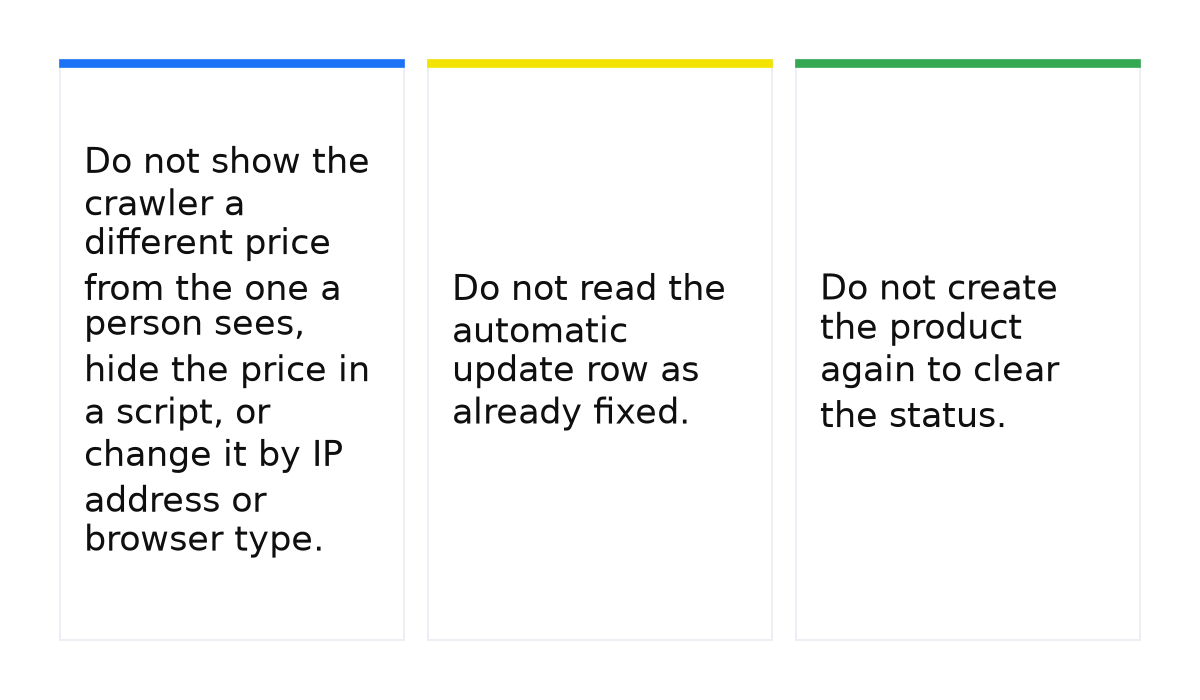
- Do not show the crawler a different price from the one a person sees, hide the price in a script, or change it by IP address or browser type.
- Do not read the automatic update row as already fixed. The price may match after the substitution, and the error stays critical until the product data is updated. Automatic updates do not replace a regular feed.
- Do not create the product again to clear the status.
When this does not apply
This page is not about “Automatic updates: Mismatched price”. That row shows up when automatic item updates for incorrect prices are on and Google has already substituted the site price. The price may match now, and the error stays critical and can lead to a suspension. Revert one update through the feed or the Merchant API. Settings sit under Products in the left menu, on the Automations tab. Find those products on the Products page, Needs attention tab. See Google’s help on automatic price updates.
On a third-party platform, some of these steps may not apply, and a review request is sometimes in its app. The price in the product data and the price on the page have to match.
I put the system behind these price checks into a short e-book.
My e-book “19 Google Ads Secrets”: how to get the most out of Google Ads without draining your budget, drawn from real campaigns and tests.
See the book →Questions and answers
Will the account be suspended?
A mismatch may lead to an account suspension. A product with a mismatch may be disapproved. Not every such row is a disapproval.
How long after the fix?
A recrawl takes a few hours or days. A website check can take up to 12 hours, and you cannot send a new request in that window.
The price on the site already matches. Why is the row still there?
Check the sale window, the time zone, and the HTML without the script. If Google already substituted the price, the row is “Automatic updates: Mismatched price”, and the product data still needs an update.