
On Products, Needs attention, you may see “Limited performance due to missing value: GTIN [gtin]”. This line is not the status “Not approved”. You sent products in a category where Google suspects there should be a GTIN, but you did not send the identifiers that category usually has. The feed is covered in the product feed.
What it means
The attribute is GTIN [gtin], a Global Trade Item Number, next to brand [brand] and MPN [mpn]. It helps Google match the product to the ad and the free listing. If an assigned number was not sent, visibility may be limited.
The GTIN attribute help says that without unique identifiers a product is hard to classify and may miss some Shopping programs and features. If a number was assigned and not sent, the product could be disapproved.
Related issues are not a missing number: Incorrect GTIN, Invalid value GTIN, Restricted GTIN, Unsupported GTIN. A similar case: if brand and MPN exist and you did not send them, visibility may be limited too. MPN is optional in general, but it may improve performance. If no GTIN was assigned, you send brand and MPN instead of the number. Skip brand when there is no clear brand, such as movies, books and music. A book uses its 13-digit ISBN in [gtin].
What is at stake
A wrong identifier may get the product disapproved. Any value you submit, other than the number assigned by the manufacturer, will get the product disapproved. Take the number from the packaging or the manufacturer. Send only that number. If you are not sure, send nothing. Do not guess or invent.
The field accepts 0, 8, 12, 13 or 14 digits. Zero means an empty field. Spaces and hyphens can be typed in, and the system ignores them. These are the types. UPC for North America: 12 digits, and a short 8-digit UPC is converted to 12 digits. EAN for Europe: 13 digits. JAN for Japan: 8 or 13 digits. ISBN for books: 13 digits, and an old 10-digit ISBN is converted to a 13-digit one. ITF for multipacks: 14 digits. Prefixes 2, 02 and 04 are barred in both the attribute help and the identifiers help. The coupon prefixes differ between those two help pages, so check your number against both lists. The attribute help lists 05, 98 or 99. The identifiers help lists 99 and 981-984.
What to do
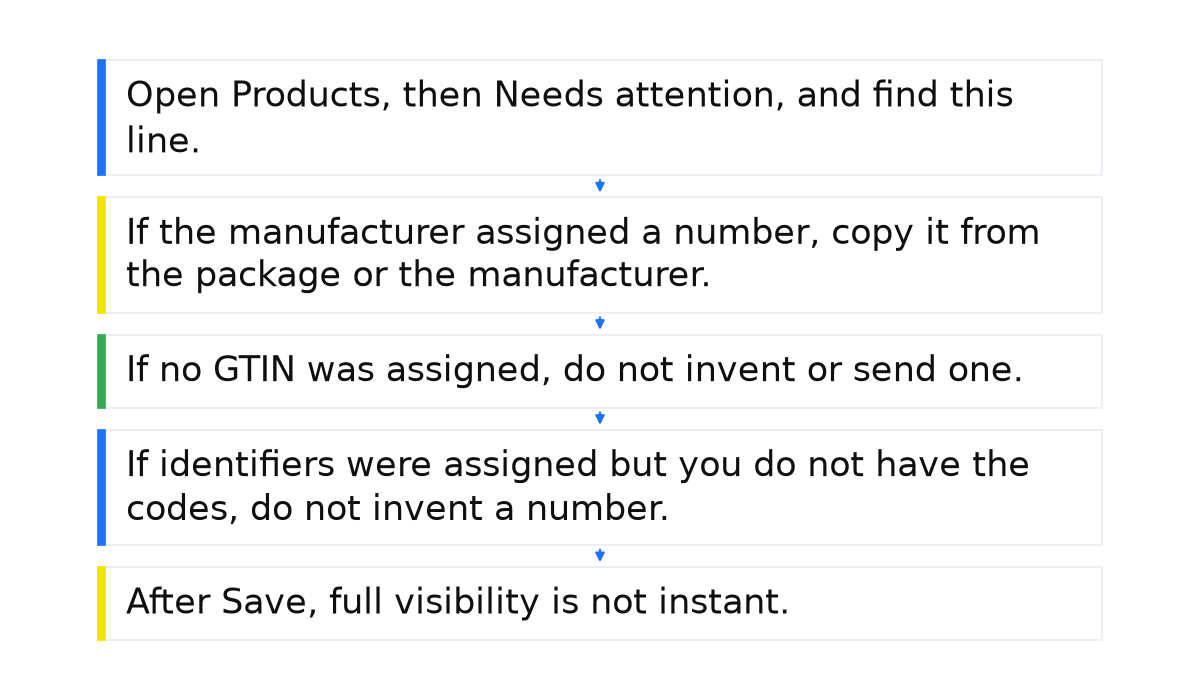
- Open Products, then Needs attention, and find this line. The line itself does not mean the product is already disapproved. Treat it first as a risk of limited visibility. The fix steps are in the missing GTIN help.
- If the manufacturer assigned a number, copy it from the package or the manufacturer. Filter the products, open the title, choose Edit product, enter the right [gtin], and choose Save. Or fix the number in a .csv file and upload it again. The number must be exact and must not use prefixes 2, 02 or 04. The title does not replace this number. How to write the title is in product titles for Shopping.
- If no GTIN was assigned, do not invent or send one. The usual case is that you are the only seller, or it is a store brand. Send [brand] and [mpn]. If you make the product yourself or to order and there is no official brand, put the store name in brand and your unique number in MPN.
- If identifiers were assigned but you do not have the codes, do not invent a number. Leave the field empty until you take the code from the package or the manufacturer. Do not put an internal SKU there, and do not borrow a similar product’s number. Each color and size variant needs its own GTIN.
- After Save, full visibility is not instant. The issue should leave Needs attention, but the page can take some time. Campaign work after that is in Shopping campaign management.
What not to do
- Do not read an empty [gtin] as an automatic disapproval. First, visibility may be limited. Separately, the product could be disapproved if a number was assigned and you did not send it.
- Do not treat a GTIN as required for every product. If none was assigned, do not invent one.
- Do not guess a number, copy one from a similar product, or put an internal SKU in [gtin].
- Do not expect full visibility right after Save, and do not read this line as an account suspension.
When this does not apply
This line does not apply to a product with no assigned GTIN. For that product, the only seller or a store brand sends brand and MPN, not an invented number. This guide does not cover Incorrect GTIN, Invalid value GTIN, Restricted GTIN or Unsupported GTIN. This is not the status “Not approved”, and it is not an account suspension.
If the line is still there after these steps, we will look at the account together. I will check whether a number was actually assigned and whether a store SKU is sitting in the field.
My e-book “19 Google Ads Secrets”: how to get the most out of Google Ads without draining your budget, drawn from real campaigns and tests.
See the book →Questions and answers
Can I put my store SKU in [gtin]?
Never put a store SKU in the [gtin] field. If the manufacturer did not assign a GTIN, leave the field empty and send brand [brand] and MPN [mpn]. A similar product’s number does not go there either. With no official brand, your own number goes in [mpn] and the store name goes in brand.
Is the product already disapproved?
The line itself does not mean a disapproval. First this is a risk of limited visibility. The product could still be disapproved if a number was assigned and you did not send it. Check “Not approved” as its own status.
No barcode, because it is my brand. What do I send?
If no number was assigned, do not send one. Send [brand] and [mpn]. With no official brand, brand is the store name and MPN is your own number.