
Someone who follows your industry and someone actively looking to buy your service can respond very differently to an ad. Before choosing an audience in Google Ads, I decide which person I want to reach: a new prospect, a previous website visitor, or someone showing a specific purchase intention.
Types of Google Ads audiences
For practical purposes, I divide audience segments into three groups.
- Google’s predefined segments. These include in-market and affinity segments, life events, and detailed demographics. You select the categories that fit your business.
- Your data segments. These let you reconnect with people who have interacted with your website, app, or YouTube channel, or use your customer lists.
- Custom segments. You supply search terms, interests, website addresses, or apps to describe the people you want to reach.
The basic principle of audience targeting
The terms audience, segment, and signal often get used interchangeably. I find it clearer to separate the description of a group from the way a campaign uses that description.
A segment groups people by a characteristic or action. For example, you can create a segment of website visitors, choose an existing interest category, or build a custom segment around relevant search terms. Each describes a different reason someone might be a suitable prospect.
An audience can bring one or more segments together. You might combine several custom segments built around related buying intentions. How the campaign uses that audience matters: targeting settings and signals for automation have different jobs.
Predefined audience segments
Google has already defined these categories. Your job is to select the ones that make sense for the offer and the customer.
Demographics describe who people are. These characteristics include age, gender, parental status, marital status, employment, and education. Household income is also available in certain countries. These attributes are not all part of the same setting, but they can help refine your understanding of a buyer.
Demographics are useful when demand clearly depends on age, gender, or having children. If you sell products for babies, parents are an obvious group to consider. However, Google does not have reliable demographic information about everyone. I would not make demographics the main basis for selecting a Search audience.
Affinity segments reflect ongoing interests and habits. Someone may follow a topic for years without planning a purchase. When the goal is enquiries or sales, these broad interests are rarely my first choice.
In-market segments focus more closely on buying intent. They describe people actively researching products or services and considering a purchase. For a campaign designed to generate leads, I regard that as a stronger starting hypothesis than a general interest in the subject.
Life events help you account for changing needs. Moving home, getting married, or graduating can create demand for relevant products and services. Choose from the event categories available in the campaign type you are using.
Remarketing and your data segments
These segments contain people who already have some connection with your business. I most often use website visitors, followed by people who have interacted with my YouTube content. Google Analytics data and customer lists can also be useful.
- Website visitors. You can group all visitors or people who completed a particular action. A segment must meet Google’s size requirements before it can serve ads.
- App users. These segments help you reconnect with people who have interacted with your mobile app.
- YouTube users. These are people who watched your videos or interacted with your channel. You need to link the channel to your Google Ads account first.
- Customer lists. For example, you can use the email addresses of existing buyers. The features available depend on your account’s eligibility for Customer Match.
Customer lists require proper data handling, a compliant account, and an appropriate payment history. Do not use sensitive information for this targeting. Check the Customer Match policy for the requirements that apply to each feature.
The advantage of remarketing is familiarity. People have already encountered your business, so you are not starting from zero. The limitation is reach: only so many people have visited your website or engaged with your content.
You can separate visitors by action: submitted a form, made a purchase, or added a product to a basket. If people rarely buy the same product again, exclude previous buyers from that offer and create a separate segment for related products.
Reaching new people with characteristics similar to your existing customers is a separate task. That principle can help expand your potential audience, but it is different from remarketing to people you already know. Check which audience expansion options your campaign supports.
Custom audience segments
Custom segments are one of my favourite options because they let me describe demand more precisely than a broad predefined category. I can specify what people search for, what they are interested in, and which websites or apps may be relevant to them.
- Search terms and purchase intentions. Add phrases associated with the product or service. Choose whether those phrases describe interests or searches.
- Websites. Competitor websites and major sites covering your subject can help describe the audience you want.
- Apps. Relevant apps provide another clue about likely interests. For a business audience, for example, you could consider business banking apps.
Entering a competitor’s URL does not give you a list of its visitors. Websites and apps help Google identify people with related interests. Google’s custom segments documentation explains how it interprets these inputs.
A segment can use one input type or combine several. What matters is that you can explain the customer hypothesis behind it. Otherwise, it becomes difficult to understand what a test has taught you.
Audiences and audience signals
Once you have created segments, you can bring them together in an audience. You might use custom segments based on buying intent alone, or include your data, interests, and detailed demographics. Where the settings support it, add exclusions for people who have already completed the desired action.
In Performance Max, an audience acts as a signal. Ads can reach people outside the segments you supplied. Adding a signal therefore does not mean only those people will see the campaign. Google explains this distinction in its Performance Max audience guidance.
Saved audiences can be reused in campaigns that support the relevant audience settings. Always check what the audience does in that particular campaign.
How to use Google audiences
Before adding a segment, decide what you need it to do. In campaigns with the relevant settings, there are two distinct approaches.
- Observation. You monitor the selected group’s performance without limiting reach to that group. This is how I usually add audiences to Search campaigns. Whether you can apply bid adjustments depends on the bidding strategy.
- Targeting. The selected segments determine who is eligible to see the ads, narrowing reach. This is often relevant to Display campaigns. Also check whether automatic audience expansion is enabled.
Do not apply this distinction mechanically to Performance Max. Its audience signals are not a strict boundary around the people the campaign can reach.
How to build custom segments around purchase intent
I start with a specific intention connected to the offer. For my school, that could be an interest in setting up Google Ads. I then build a segment that I can compare with other ideas.
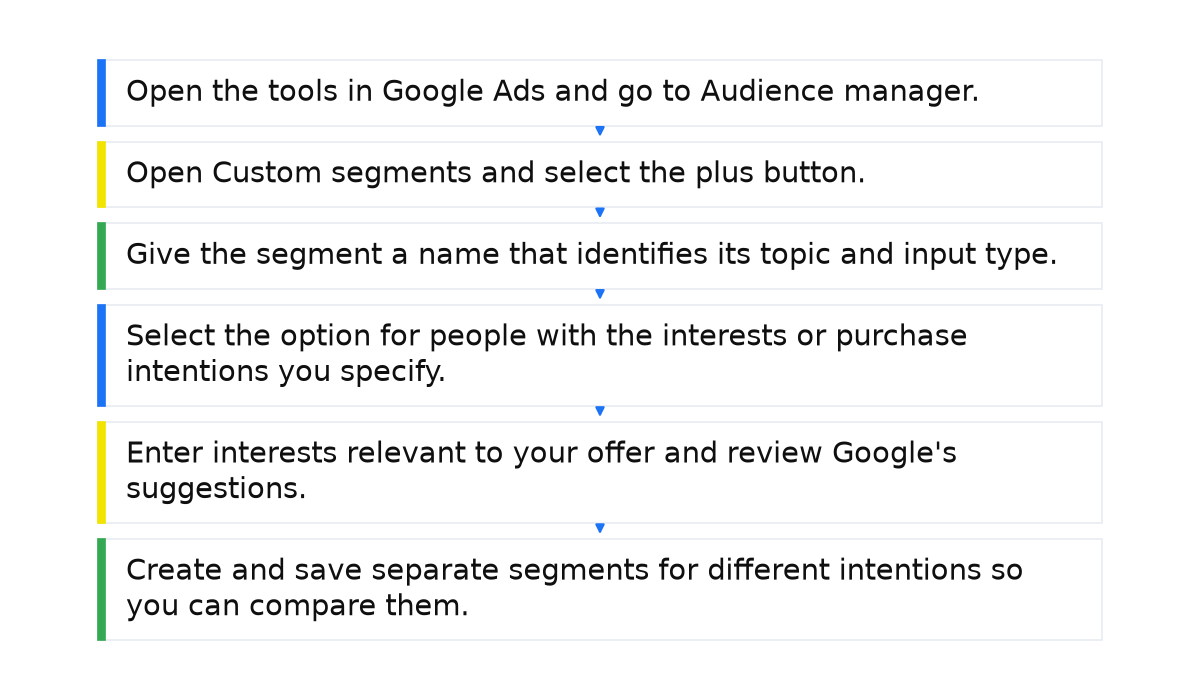
- Open the tools in Google Ads and go to Audience manager.
- Open Custom segments and select the plus button.
- Give the segment a name that identifies its topic and input type.
- Select the option for people with the interests or purchase intentions you specify.
- Enter interests relevant to your offer and review Google’s suggestions.
- Create and save separate segments for different intentions so you can compare them.
I have tested Google’s suggested terms even when the wording looked odd, such as “Google Ads”. However, pasting an entire Search keyword list into one segment does not finish the job. First separate the phrases by what the customer wants.
If you sell laptops, possible themes include gaming laptops, how to choose a laptop, laptops for work, and Acer laptops. Each theme can contain a wider set of related phrases. Keeping the themes separate makes the comparison easier to interpret.
To use search behaviour, choose the option for people who searched for the specified terms on Google and enter the relevant phrases. Search behaviour is used in campaigns on Google properties; in other campaigns, these phrases are treated as interests. You can also supply websites or apps as audience clues. Avoid combining everything by default, because that makes it harder to understand which idea performed well.
What matters when choosing Google Ads audiences
Your audience choices affect who sees the ad, how many people reach the website, and what it costs to attract customers. I start by testing your data segments and custom segments around purchase intent, then treat expansion beyond those groups as a separate decision.
Watch ad frequency so repeated exposure does not become annoying. Use audience reporting to compare impressions, clicks, click-through rate, average cost per click, and campaign outcomes. A segment that sounds relevant still has to prove useful in practice.
When this does not apply: Remarketing cannot deliver broad reach without enough previous visitors, and an interest in your subject does not prove purchase intent. Custom segments do not give you direct access to a competitor’s visitor list, while Performance Max signals do not restrict delivery to the audience you supplied.

Making these settings useful means connecting the buyer’s intention, the ad, and the way you judge the result. That is the foundation to build on when learning to manage Google Ads systematically.
My e-book “19 Google Ads Secrets”: how to get the most out of Google Ads without draining your budget, drawn from real campaigns and tests.
See the book →