


Let’s walk through how to set up remarketing in Google for your business. Studies show that up to 96% of people who land on a site after clicking an ad leave without converting. Chances are, they won’t come back on their own unless you remind them.
Remarketing in Google lets you bring those people back, and you’ll pay a lot less for it than you did for the first impression.
Why bother with this audience specifically? Because these people already responded to your offer once, which makes them a warmer audience, sitting lower in the funnel and much closer to buying than anyone else you’re targeting.
How to Set Up Remarketing in Google Ads
Remarketing means showing ads to people who have already been on your site. There are two approaches to setting up remarketing in Google Ads, and they sit at opposite ends of the spectrum:
- one extreme: too broad, where you build a single audience;
- the other: too segmented, where you build dozens of audiences.
Let’s look at where each one leads.
The one-bucket approach
You could sum up the first strategy as: “throw everyone into one bucket, and let Google sort it out.”
There’s only one remarketing audience here, every visitor to your site, regardless of what they did, which page they landed on, or what they were interested in.
Everyone in that bucket sees the same ads for your products or services. This tactic works, but it can, and should, be improved.
Hyper-segmentation
The opposite extreme is building a large number of audiences:
- by time on site: people who visited yesterday, a week ago, a month ago;
- by page visited: homepage, contact page;
- by other behavior: filled out a form, added a product to the cart.
Each audience gets its own ad. It’s a more deliberate approach, but it usually doesn’t pay off, because showing ads to a remarketing list requires it to clear a minimum size: at least 1,000 people for Search (these are RLSAs, remarketing lists for search ads) and 100 for Display.
Say your site averages 50 visitors a day. Build a remarketing audience of everyone who visited in the last 3 days, and you’ll land around 150 people, never enough to reach that 1,000 threshold.
Hyper-segmentation is a strategy only large companies can afford, the ones whose sites get roughly 100,000 visitors a day.
For small and mid-sized businesses, chasing this strategy is a waste of time. You won’t lose money on it, since the ads simply won’t show, but you also won’t gain any customers or revenue.
How to Set Up Effective Google Remarketing
This recommendation works for almost any business, regardless of industry. If you run a YouTube channel or run video ads, link them to your Google Ads account. In your Google Ads account, go to “Tools,” open “Data manager,” and select YouTube from the list.
How I Check Exclusions
When I set up remarketing, I check that anyone who already converted is excluded from seeing the same ask again, unless there’s a genuinely different next offer for them.
You can link either a whole channel or a single video to your Google Ads account.
What you can do from there:
- Build an audience of people who watched your videos, then show them search ads when they look for something similar on Google.
- It works the other way too: people who visited your site and searched for information about a product or service can be shown a specific ad on YouTube, one that goes deeper into the benefits of what you’re selling.
- Display ads on the Display Network, Gmail, and other Google properties can reach both groups. To do this, you nudge users to leave their contact details, a Gmail address, for instance.
Which Ads to Show People on Your Remarketing List
You only get the effect you want if the message matches the person. If someone already visited your homepage and didn’t buy, showing them the same homepage again, with no new incentive, won’t push them to convert.
Start by figuring out why the person didn’t buy. One way to find the real reason is to survey your site visitors: ask what 3 concerns held them back the most before they made a purchase.
How to work through that resistance:
- Instead of sending these visitors back to the page they already saw, send them somewhere that addresses the actual objection standing between them and the purchase.
One of the most common issues is price. In that case, build a page just for your remarketing list, one regular visitors never see, and offer a 10 to 20% discount on the same product or service. That removes the main reason they said no.
- There can be other reasons too: someone wants custom furniture but lands on a page showing ready-made pieces, or the reverse. Either way, redirecting them to the page that actually matches what they’re looking for is enough.
Technical Setup Details for Google Ads Remarketing
You can set up a remarketing audience either in Google Ads or in Google Analytics. Analytics gives you more options, since you can define far more conditions for each audience.
Google groups site visitors and customers into segments based on your data and lets you manage segments and exclusions from the audience report.
Here’s the sequence:
- From the main menu, go to “Admin,” then “Audiences,” then “Create audience.”
- Build it manually, or start from one of the templates Google offers.
- Target by demographics, devices, or traffic source.
- Add extra conditions for which site visitors get included in the audience.
- Add an excluded group. Say, anyone who already bought the product.
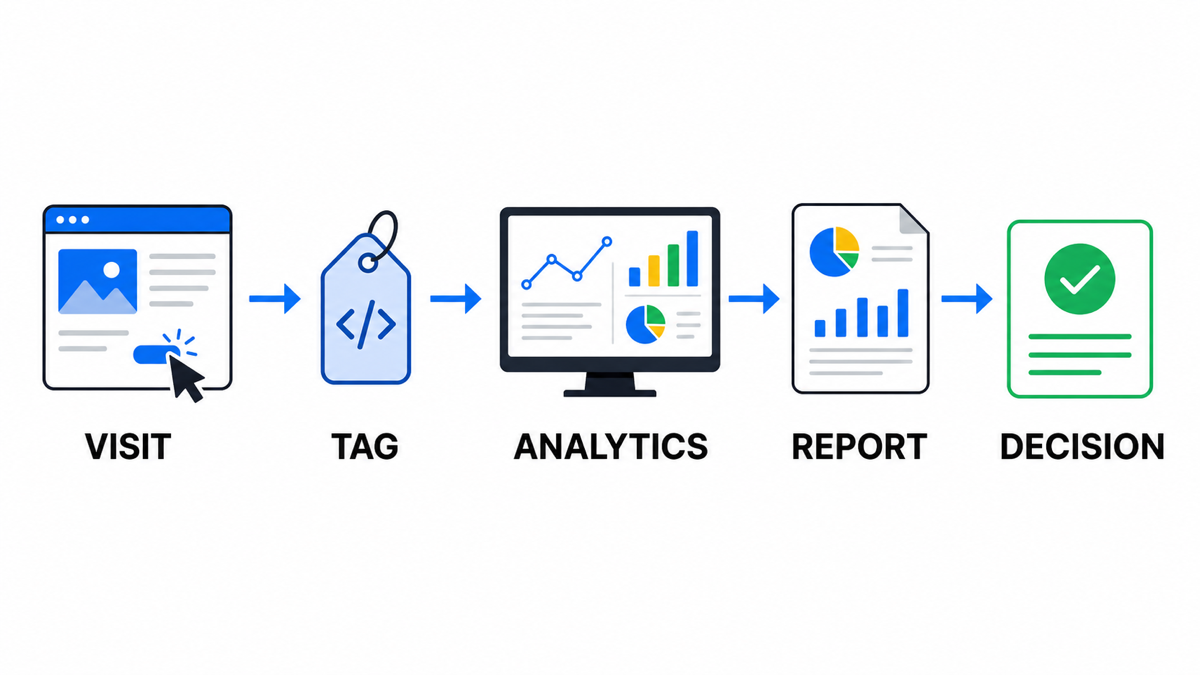
One requirement matters here: your site’s HTML needs the tracking tag installed so it can log visitor actions.
You can set up a Google Ads campaign for a remarketing audience the same way you would any other campaign.
- Campaign type, Search or Display, depending on where you want it to run.
- Campaign goal, it’s fine to skip goal guidance here.
- Decide on strategy, bids, budget, language, and location for the campaign.
- When you build the ad, choose the right URL, and use the headline or copy to call out a discount, a promotion, or special terms.
- Under “Audience segments,” click “Browse,” and choose the remarketing audience under “How they’ve interacted with your business.”
How Long Should Your Remarketing Audience Window Be
By default, someone stays in a Google Ads remarketing audience for 30 days. You can choose other windows during setup, up to a maximum of 540 days. It comes down to your niche:
- If your business works with the same customer over a long stretch, pick the longest window available. That fits beauty salons, auto shops, and online stores selling everyday consumables.
- If the purchase cycle is short, someone searching Google for “buy a crib,” for example, baby gear won’t be relevant 18 months later. Choose a shorter window.
Google Ads Remarketing Setup Checklist
- Confirm the Google tag, or the GA4-to-Google Ads link, is installed on your site and key events are firing without duplicates.
- Build a baseline audience of all site visitors, plus separate lists for your strongest-intent signals: cart, form, pricing page, service page.
- Exclude anyone who already completed the target conversion, unless they need a follow-up product or a repeat purchase.
- Check list sizes against the minimum before launch: Search needs thousands of users, Display’s threshold is lower, but segments that are too small stop serving quickly.
- Match the audience window to your sales cycle: short for urgent purchases, long for services with repeat demand or a longer consideration period.
- Write a distinct message for the main reason people say no: price, trust, an unclear benefit, the wrong page, or not enough proof.
- 7 to 14 days after launch, check more than clicks. Look at frequency, conversions, exclusions, and the actual search terms feeding your audience campaigns.
Key Takeaways on Google Ads Remarketing
Google Ads with remarketing audiences in place tends to run cheaper and convert better: you’re showing it to a specific, fairly narrow group of people who are genuinely interested in what you’re offering.
The more channels you connect, the easier it is to reach someone wherever they are online and guide them to the decision you want. So link your YouTube channel, your Google Ads account, and Google Analytics together. Do that, and remarketing in Google Ads should lower your cost per conversion and grow sales.
My e-book “19 Google Ads Secrets”: how to get the most out of Google Ads without draining your budget, drawn from real campaigns and tests.
See the book →