
What to check before Google’s automatic AI Max upgrade is which Search campaigns already use text customization, or the campaign broad match setting. Those are the campaigns Google named for Google Ads AI Max in September 2026. Write down three answers for each one. May Google match searches you never added? May Google write extra ad text? May Google send the click to another page on your site?
I have run advertising for 19 years, and I still open the campaign before I leave an automatic setting on. A plumber, an HVAC company, and a dentist need the switch that flipped and the page a click can land on. This is not every Search campaign, and it is not Performance Max. The check still matters after September. Google expected the eligible upgrades to finish by month end. For a comprehensive review of a live account, see the Google Ads campaign audit checklist.
Which Search campaigns the upgrade touches
The automatic AI Max upgrade touches Search campaigns that already use text customization (formerly automatically created assets) or the campaign-level broad match setting. Google’s help on text customization says those campaigns upgrade starting in September 2026. The lines come from your domain, the landing page, the ads you wrote, and the keywords in the ad group. A generated line serves only when Google predicts it will beat what you uploaded. It does not count toward your 15 headlines and 4 descriptions. You can remove one bad line in the asset report. With a final URL, you can view up to 10 example lines before you opt in.
Do not mix this up with account-level automated assets, such as dynamic sitelinks. Those live on the account. Text customization lives on the campaign. The older name is covered in automated assets in Google Ads. Google’s FAQ dates the move into AI Max from May 27, 2025, and says the legacy switch cannot be turned back on.
The second September path is the campaign broad match setting. Google’s page on that setting says those campaigns also upgrade to AI Max starting in September 2026. It is not “a few broad keywords.” It converts existing phrase and exact keywords to broad match, and new keywords are broad match too. It is available only with conversion-based Smart Bidding. Ordinary broad keywords are a separate topic, in broad match keywords.
Keep September 2026 apart from Dynamic Search Ads
Dynamic Search Ads are kept apart from the September 2026 upgrade because their automatic migration to AI Max begins in February 2027. Google’s upgrade announcement, updated June 11, 2026, says the sunset and the automatic upgrade begin then. Campaigns on automatically created assets, and campaigns on the campaign broad match setting, still start in September 2026. The current Dynamic Search Ads help page repeats February 2027 and still explains the campaign type. Lower on the announcement, an older section still says new Dynamic Search Ads stop in September. For the date, follow the June 11 note and the current help page. Look in the account before you assume the create button is gone.
Dynamic Search Ads pick the query and the page from the site. See Dynamic Search Ads. You can upgrade one yourself before February 2027. Dynamic ad groups become standard, and the ads become responsive search ads. Google writes the minimum static lines with text customization. Unsupported older targets become read-only. The old ads pause once the new ones pass policy.
Google says you get a notice in the account before the transition starts. If AI Max is already on, or the old setting is still on, use the same check.
What each old setting turns on
Each old setting turns on a different subset of AI Max features: the campaign broad match setting turns on search term matching, text customization turns on search term matching and extra ad text, and Dynamic Search Ads turn on all three, including Final URL expansion, at the February 2027 upgrade. Turning AI Max on yourself, from the setup page, starts in a different position.
| What the campaign uses now | Search term matching | Text customization | Final URL expansion |
|---|---|---|---|
| Campaign broad match setting | On | Not named as on | Not named as on |
| Text customization, formerly automatically created assets | On | On | Not named as on |
| Dynamic Search Ads, at the February 2027 upgrade | On | On | On, and Google says your old URL controls stay |
| You turn AI Max on yourself | On for the campaign. Off switch is in the ad group | On by default | On by default |
Search term matching lets the ad show on searches you did not add, using broad match plus your ads and pages. Final URL expansion may send the click to another page on your domain. Google’s Final URL expansion page says that switch is on by default when you opt in, and that it needs text customization. Turn text customization off and the landing-page switch goes off with it. More on that switch is in Final URL expansion.
The announcement’s 7% line is an average of 7% more conversions or conversion value, at a similar CPA or ROAS, with all three features on versus search term matching alone. The footnote is Google internal data from 2026 for non-retail advertisers. It is not a comparison with AI Max turned off. Moving early is Google’s way to keep control of the setup, not a result for your account.
Find each control at the right level
AI Max controls are divided between two levels: search term matching is managed in ad group settings, while text customization and Final URL expansion sit at the campaign level under asset optimization. Google’s page on how AI Max works says search term matching turns on for the campaign, and you turn it off in the ad group. A new Search campaign is a separate case. The setup page says AI Max is on by default when you create one.
Search term matching is controlled here.
Text customization and Final URL expansion are separate switches.
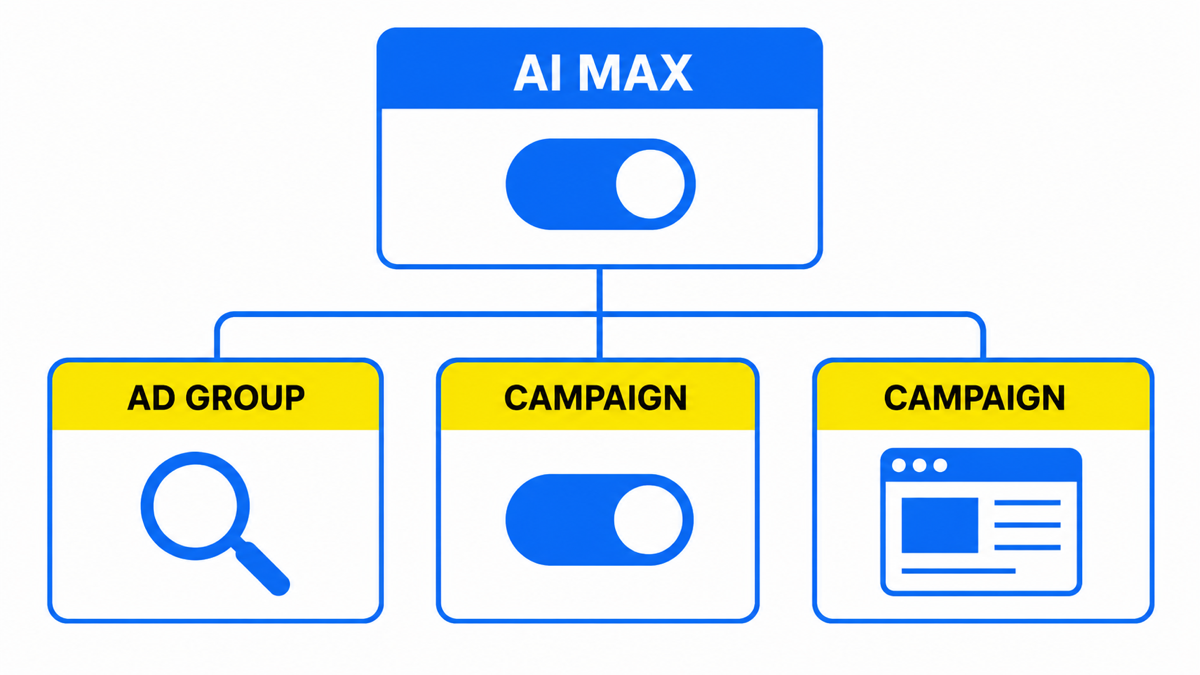
| Control | Where you manage it | The decision |
|---|---|---|
| Search term matching | Ad group. On for the campaign when AI Max is on | Whether this group may match searches you did not add |
| Text customization | Campaign, under asset optimization | Whether Google may write extra headlines and descriptions |
| Final URL expansion | Campaign. Needs text customization | Whether Google may choose another page on the site |
| URL exclusions | Campaign. Needs both text customization and Final URL expansion on | Pages that must never be the landing page |
| URL inclusions | Ad group | Extra pages you want. Pins are then ignored |
A plumber can keep an emergency-page headline and still block a winter-pipes blog post. With Final URL expansion on, a pin such as “same-day repair” is dropped if Google chooses another URL. URL inclusions drop pins too. Turn both off to keep every pin. Brand exclusions turn off with the AI Max switch. A dentist who blocks competitor names should not assume those blocks remain.
Run this check in the account
To run the AI Max check in your Google Ads account, inspect campaign settings for text customization, the campaign broad match setting, Final URL expansion, and URL exclusions, then review ad group settings for search term matching. Google’s setup page is the click path. Work through the campaigns that spend.
- In Campaigns, then Settings, note text customization. If it is on, the campaign is in the September 2026 automatic group.
- Open Broad match keywords. If it reads “On: Use broad match keywords for your entire campaign,” this is the other September path. After the move, those broad keywords are not treated as exact match for priority. Add exact match copies if you need that. Converting broad to exact removes the keyword history.
- Read Final URL expansion on its own. The automatic path from text customization does not name it as on. If you opted in yourself, it is on by default.
- URL exclusions need both text customization and Final URL expansion. A “URL contains” rule matches whole words, not a piece of a longer word. Saved exclusions are ignored while AI Max is off.
- In the ad group, open Search term matching. You can turn it off for one group only while AI Max stays on. On manual CPC, Google’s AI Max FAQ says this feature will not work.
- Remove any generated line you would not say. Text guidelines can block terms while text customization is on. Google refreshes lines within 48 hours after the landing page changes. Advertisers with English assets are eligible for the generative version.
- A tracking template should use {lpurl}?, {lpurl}&, {lpurl}#, or {lpurl}. A fixed address with no tag can ignore the page AI Max chose. Other shapes of the tag can return a 404.
- If the campaign is limited by budget, Google says AI Max will not be effective, and an alert appears. Negative keywords still apply. Keep them in negative keywords in Google Ads.
You can turn the layer off from the AI Max toggle in campaign settings. Turning it back on restores the previous choices. I judge the result by the cost of a qualified lead in the CRM over 30 days. More conversions in Google Ads, at a higher dollar cost per qualified lead, means the setting got worse.
The checks above are how I decide whether to leave AI Max on. The step-by-step version is in my book on Google Ads for business owners.
My e-book “19 Google Ads Secrets”: how to get the most out of Google Ads without draining your budget, drawn from real campaigns and tests.
See the book →When this does not apply
The automatic AI Max upgrade check does not apply to accounts without Search campaigns, campaigns without legacy automation settings, or advertisers who rely on strict asset pinning.
- You do not run Search campaigns. This layer sits inside Search. It does not upgrade Performance Max. If one search could match both, Google says the higher Ad Rank serves.
- The campaign uses none of the named legacy settings. No text customization, no campaign broad match setting, and no Dynamic Search Ads means it is outside the automatic paths. A new Search campaign is different, because Google turns AI Max on by default when you create it.
- You need every pinned headline to serve as written. That holds only when Final URL expansion and URL inclusions are both off.
- You are waiting for one day inside September. Google named the month, not a day, and expected that group to finish by month end. Check the account either way.
Questions and answers
Does this automatic upgrade apply to Performance Max?
No. Performance Max stays its own campaign type. AI Max is a set of switches inside Search.
Can I turn AI Max off after the upgrade?
Yes. Turn the whole set off, or turn the three switches off one by one. Turning text customization off also turns Final URL expansion off. Turning AI Max back on restores the previous choices. Brand exclusions do not stay on while AI Max is off.
Will existing Dynamic Search Ads move in September 2026?
No. The June 11, 2026 update and the current Dynamic Search Ads help page put the automatic upgrade in February 2027. September 2026 is the start named for text customization and for the campaign broad match setting. You can still upgrade a Dynamic Search Ads campaign yourself before February, from the callout in campaign settings.
What if the campaign bids with manual CPC?
Do not expect search term matching to expand queries. Google says it will not work on manual CPC. It needs Maximize conversions or Maximize conversion value. Text customization and Final URL expansion also need conversion-based Smart Bidding.