
To contact Google Ads support, sign in to the Google account that has access to the affected Ads account, then use the Contact us option at the bottom of the Help Center. You can also open Help in the Google Ads mobile app, where phone, chat, or email may be available.
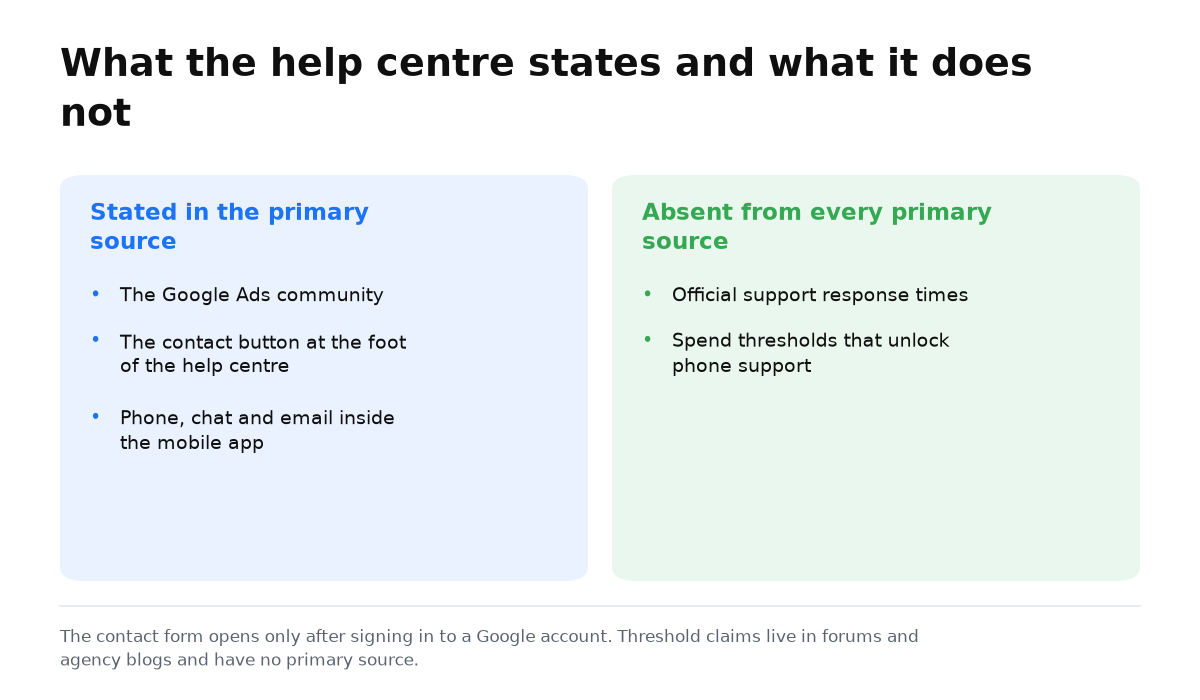
Google does not publish guaranteed response times for standard Ads support. It also does not publish spending thresholds that unlock particular channels. The practical route is to describe one precise problem through the options shown after you sign in, rather than search for a secret phone number.
Where to find the official support channels
Google presents two basic routes on its help pages: post to the community or contact support. The Google Ads Help Center says that the Contact us button is at the bottom of the Help Center. The contact form becomes available after you sign in to a Google account.
In the Google Ads mobile app, the Help section may offer phone, chat, or email. These options appear in the official instructions for the app. Google does not state the conditions for access to each option, so use the channels that your account actually displays.
If your question does not require anyone to inspect private account details, you can post it in the official Google Ads community. Do not put payment details or confidential business material into a public discussion.
If the problem is campaign performance rather than access to the product, separate a technical fault from weak advertising first. The why clicks bring no leads helps you make that distinction. Support can explain the product, but your business still has to judge whether the campaign economics work.
A contact process that makes the issue easier to check
- Sign in to the Google account that can access the affected Ads account.
- State one problem in one sentence. Keep suspension, billing, delivery, and setup questions separate.
- Explain what you expected, what happened instead, and where you saw it.
- Add a safe screenshot that shows the error when it genuinely clarifies the problem.
- Choose an available channel in the form or app, then keep a copy of your request for any follow up.
This process does not move you ahead in a queue, because Google makes no such promise. It does make the case easier to understand. A support representative has a defined issue to inspect, and the conversation is less likely to split into unrelated questions.
What usually wastes a support request
| Weak approach | Why it does not help | What to write instead |
|---|---|---|
| “My ads do not work” | It does not identify an error, missing delivery, or poor results | Name the screen, status, and expected action |
| Several problems in one message | There is no single issue to inspect | Start with the problem blocking work now |
| Demanding an invented deadline | Google publishes no response time for standard Ads support | Ask what information is needed for the next step |
| Citing an alleged spending threshold | Official channel thresholds are not published | Use the channel displayed in your account |
What to do if your Ads account is suspended
Do not replace the actual request with an emotional description of losses. Read the notice in the account, then state which decision or review you need. The separate guide on why Google suspends an Ads account helps you avoid confusing the reason for a suspension with the channel used to discuss it.
You now have the official entry points, a clear sequence for the request, and an honest view of what Google does not promise. That is enough to contact support without relying on invented deadlines or hidden access rules.
My e-book “19 Google Ads Secrets”: how to get the most out of Google Ads without draining your budget, drawn from real campaigns and tests.
See the book →When this does not apply
This process will not settle a dispute about campaign profitability, replace an audit, or create a guaranteed response time. It also cannot unlock phone or chat when your account does not display those options. Use the available form or community, and do not guess why a channel is missing because Google does not publish the relevant thresholds.