
Google Ads can be more practical than social media for a roofing business when the customer is already looking for a contractor. That is what happened in Tatiana’s Sydney case: after she set up search advertising herself, the work schedule was booked ahead and she reduced the budget. This is not a universal promise to every contractor. It is a real example of matching a channel to customer demand and business capacity.
If you first need the broader logic of lead generation for service companies, read the guide to diagnosing clicks without leads. The case below shows how that logic played out specifically in roofing.
Tatiana’s story: from social media to search advertising
Tatiana describes a roof repair and maintenance business in Sydney, Australia, serving the whole city. She sums up the beginning simply: “we opened a roof repair business here”.
The first problem was not whether to advertise, but which channel to use. The business tried social media, yet it did not deliver as well as search. In Tatiana’s words: “We tried social media, but it does not work as well for this business as Google advertising”.
Tatiana tried to figure out the setup herself and with ChatGPT. Another obstacle appeared: the advice could sound logical, yet the relevant control was not where she had been told to find it. As she put it, “I can’t find these buttons in my account”.
Short lessons with on-screen demonstrations in the Google Search i-Formula course helped her move forward. Tatiana used the English interface while the explanation was in Russian, but she could see the sequence of actions on screen. She did not merely receive a list of settings. She could reproduce the process in her own advertising account.
After the launch, Tatiana summarized the outcome this way: “in three months we had already gained clients, our work is scheduled until the end of February, and I have now reduced the budget”. The significant detail is not only the client flow. Advertising became a capacity management tool. Once the schedule filled, she did not keep spending at the previous pace.
Why search suited a roofing business
Social media and search meet customers at different moments. Someone may notice a useful roofing post in a feed without intending to hire anyone. In search, the person states a need and actively looks for a company. That distinction matters for roof repair: the campaign can answer existing demand instead of merely attracting attention to the subject.
This does not mean that social media never works for roofing contractors. The case supports a narrower conclusion: Google advertising worked better for Tatiana’s particular business. The useful lesson for an owner is to judge a channel by relevant enquiries and actual workload, not by reach or engagement around posts.
How to apply the mechanism to your campaign
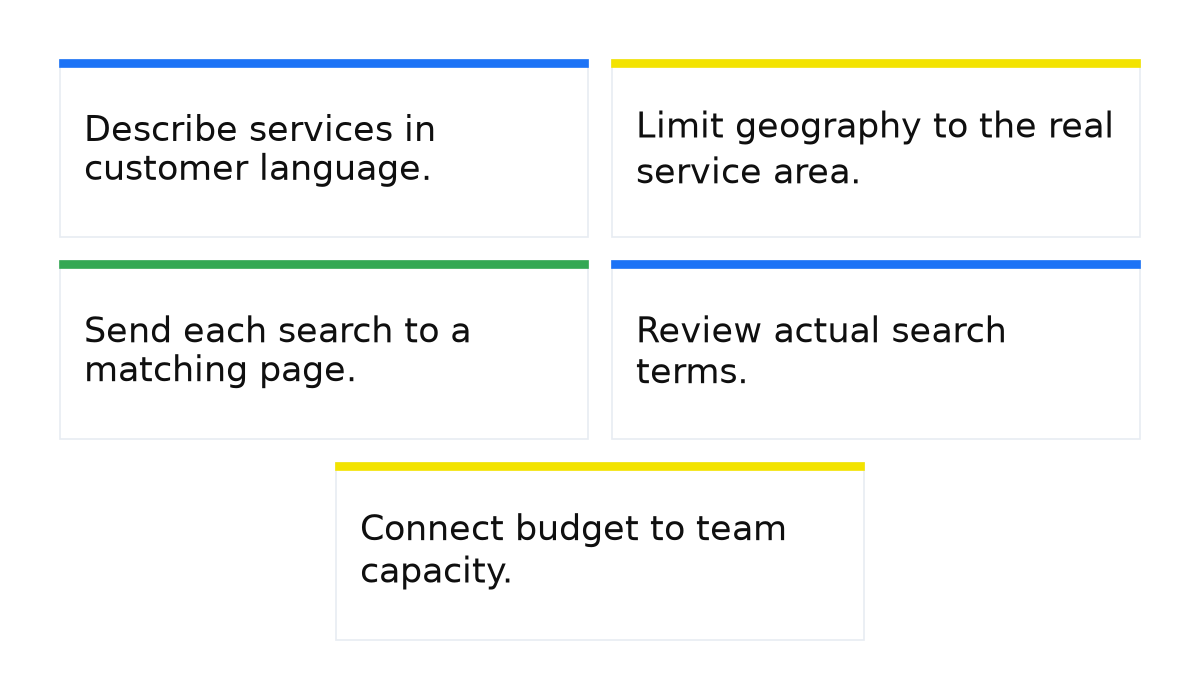
- Describe services in customer language. Separate repair searches from maintenance searches. Do not mix them with queries about materials, jobs, or do-it-yourself instructions.
- Limit geography to the real service area. The ad and landing page should clearly explain where the company operates. This prevents people outside your territory from starting an irrelevant enquiry.
- Send each search to a matching page. The customer should immediately see the relevant type of work, service area, and a clear contact method. A generic company page often makes the visitor search for the answer again.
- Review actual search terms. A keyword sets direction, but the user’s query reveals the intended meaning. Exclude irrelevant intentions and move useful ones into more precise groups.
- Connect budget to team capacity. When the schedule is full, review advertising intensity instead of collecting enquiries that nobody can handle. Tatiana’s decision to reduce the budget illustrates this principle.
What to do when the Google interface changes
Do not build your process around memorizing button positions. Start by defining the action you need: narrowing geography, reviewing search terms, adding exclusions, or changing the budget. Then find the relevant campaign level and verify the result after saving.
The on-screen lessons helped Tatiana not because they could freeze the interface forever. They provided a visual logic for moving through the account. If an element’s name or position changes, its purpose remains the guide. After any edit, check whether the campaign is active, which area it covers, which queries trigger it, and how enquiries are recorded.
When this does not apply
Do not copy the mechanism literally when there is no established search demand in your location, the company cannot respond to enquiries promptly, or the targeting area does not match the service area. Search also cannot repair an unclear offer or a landing page that fails to show the service a customer needs.
Tatiana’s outcome does not establish a standard payback period, cost per lead, or growth rate for other roofing businesses. Those figures are not part of the case. Test the approach against your own search terms, enquiries, customer quality, and available operational capacity.
If your roofing business also depends on people who are already searching for a contractor, the next step is not to copy somebody else’s campaign. It is to build your own controlled system for capturing demand, reviewing queries, and regulating workload.
My e-book “19 Google Ads Secrets”: how to get the most out of Google Ads without draining your budget, drawn from real campaigns and tests.
See the book →Other niche breakdowns from the same series: pest control, custom apparel printing, yacht charter, coding schools and sporting goods.